Classification models
Models of a class label instead of a measured value: the class column or threshold, class balance, the classifiers and their validation.
A classification model predicts which class a compound belongs to: blocker or non-blocker, permeant or not, active or inactive. It is built with the same wizard as a regression model. Open Wizards > 2D-QSAR model builder and choose Classification as the Task on the Data page. The wizard then applies the classification recipe to every page; the data, the curation, the outputs and the values under More options are kept. This page describes what differs from regression; everything else is in The 2D-QSAR wizard.
The class column
The Class column holds the class of every compound. It can be a column of labels, or a measured value that the wizard splits into two classes.
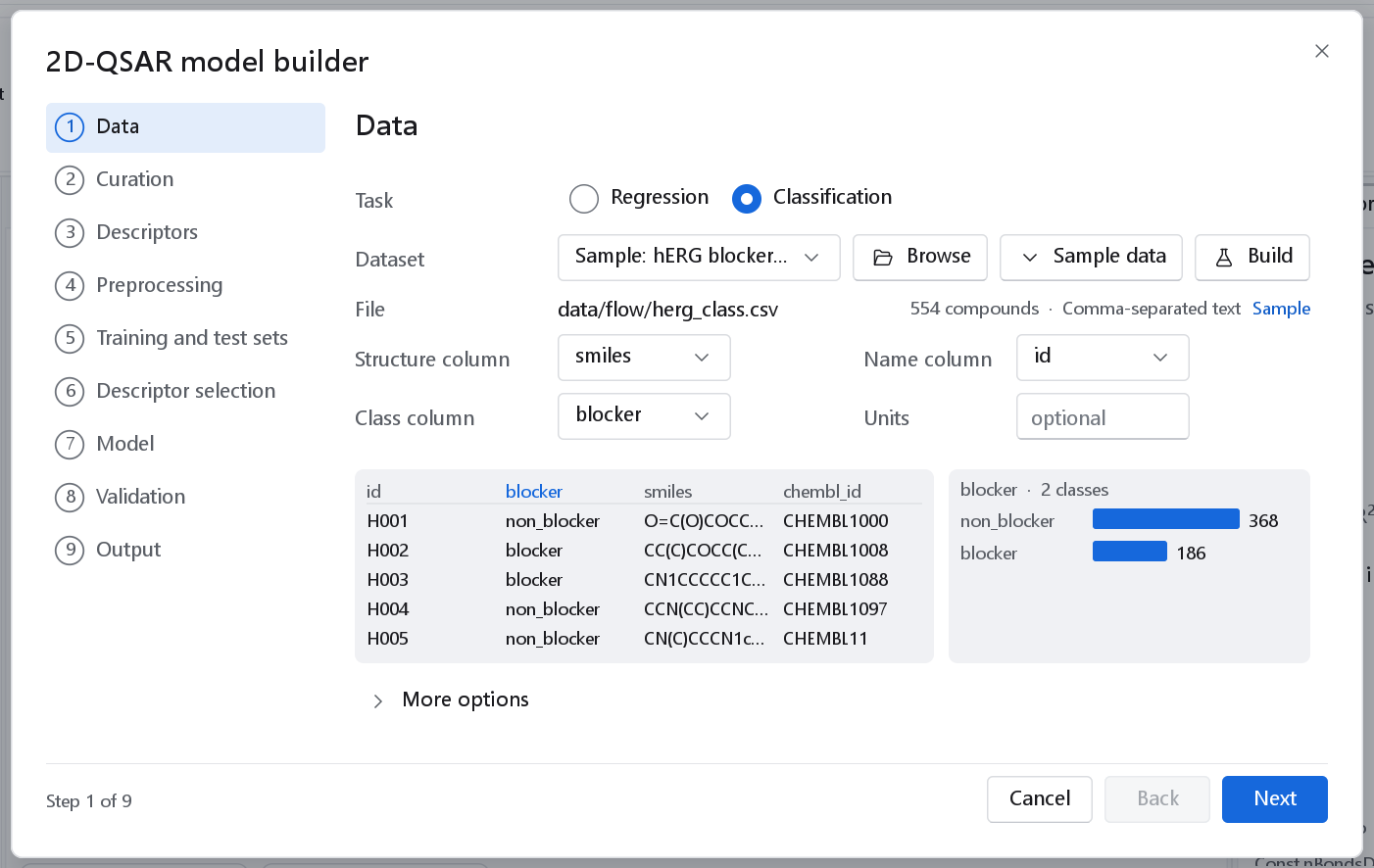
blocker holds two labels, and the panel on the right counts them: 368 non_blocker and 186 blocker among 554 compounds.A threshold on a measured value
When the chosen column is numeric, tick Split a measured value into two classes. Class threshold is the cut, and the drop-down beside it says which side is active: Active at or above (for a pIC50 or pKi) or Active at or below (for an IC50 in concentration units, or a toxicity value where lower is worse). Compounds on the active side form the class active, the others inactive. The counts of both classes are shown next to the control and update as you type.
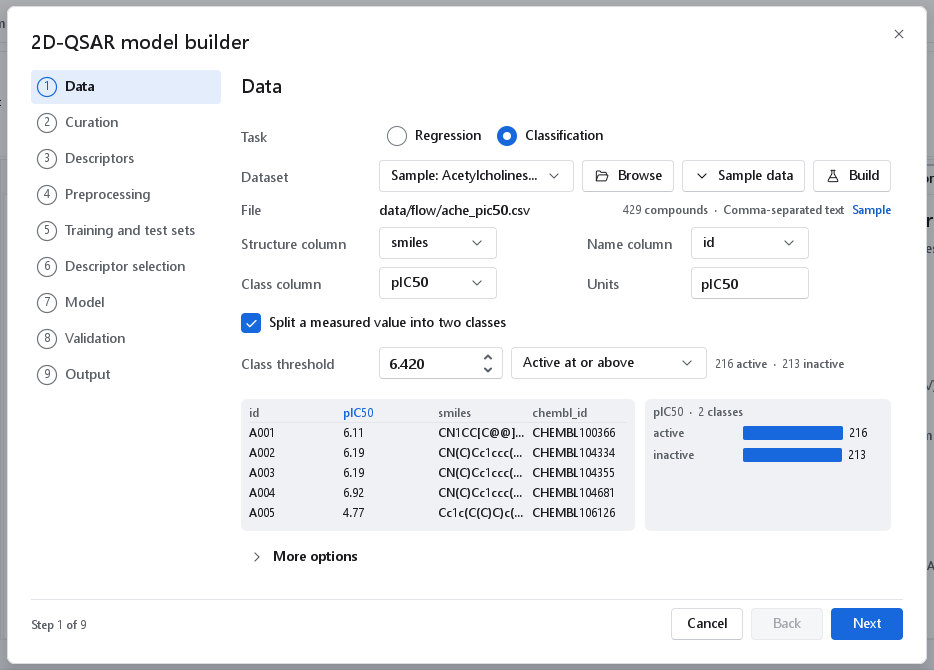
Set the threshold your assay or your project calls active, for example 6.0 for 1 µM. The median is offered only because it always gives two populated classes. The derived class column is written to a file next to the dataset snapshots, and the workflow records the rule in its metadata, so the classes can always be traced back to the measured values.
Grey zone
Compounds whose activity lies very close to the threshold cannot be assigned to a class reliably, given the error of the measurement. The wizard keeps every compound. To leave out a band around the threshold, build the classes in the Dataset Builder, whose class step has a Grey zone: compounds with |p - threshold| below that half-width are removed (see Curation, review and saving). A grey zone costs compounds but removes the labels that are most likely wrong.
Pages that differ from regression
Preprocessing
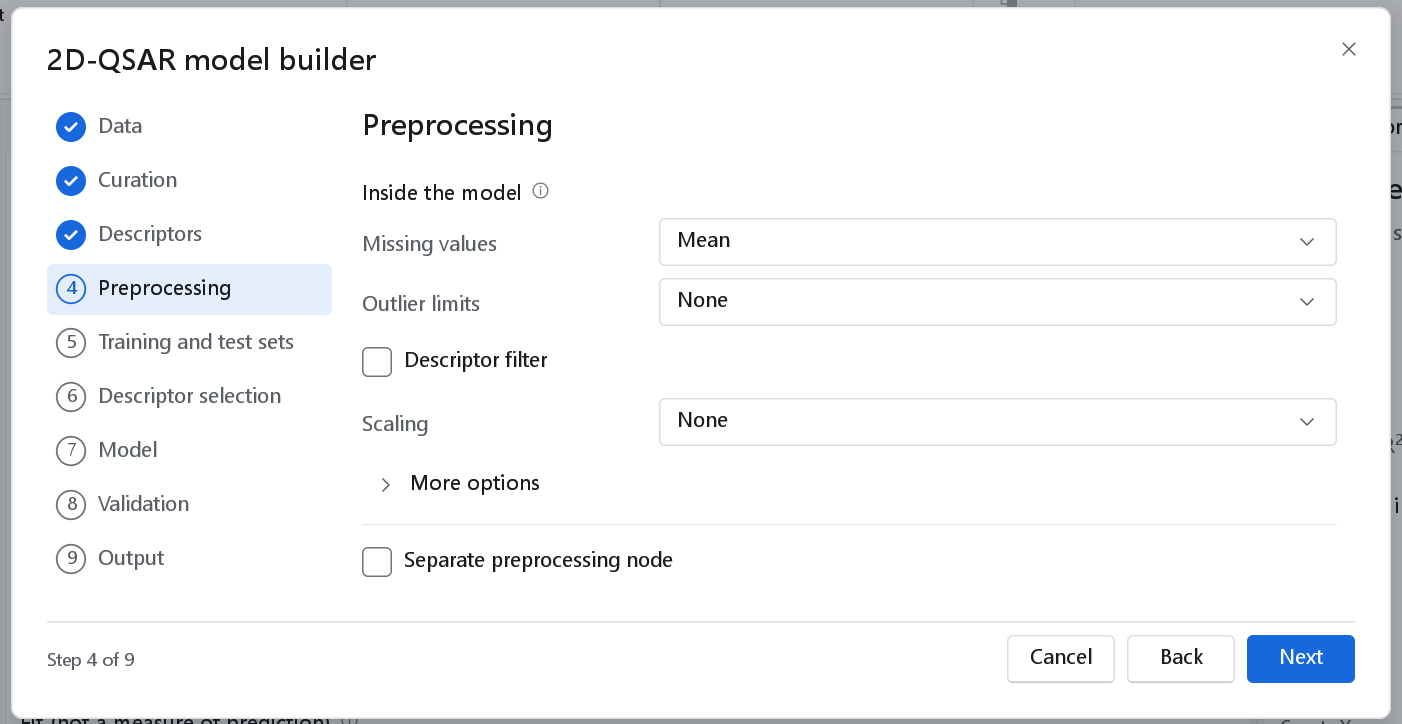
The controls are those of regression. A random forest is insensitive to scale and to outliers, so the recipe uses only imputation. Switch the filter and autoscaling on when you choose a linear classifier (logistic regression, linear discriminant analysis) or a distance-based one (k nearest neighbours, support vector classifier).
Training and test sets, descriptor selection
A stratified split for a classifier is stratified by class, so both sets keep the class proportions of the data. The descriptor selection page offers only Mutual information for a classifier.
Model
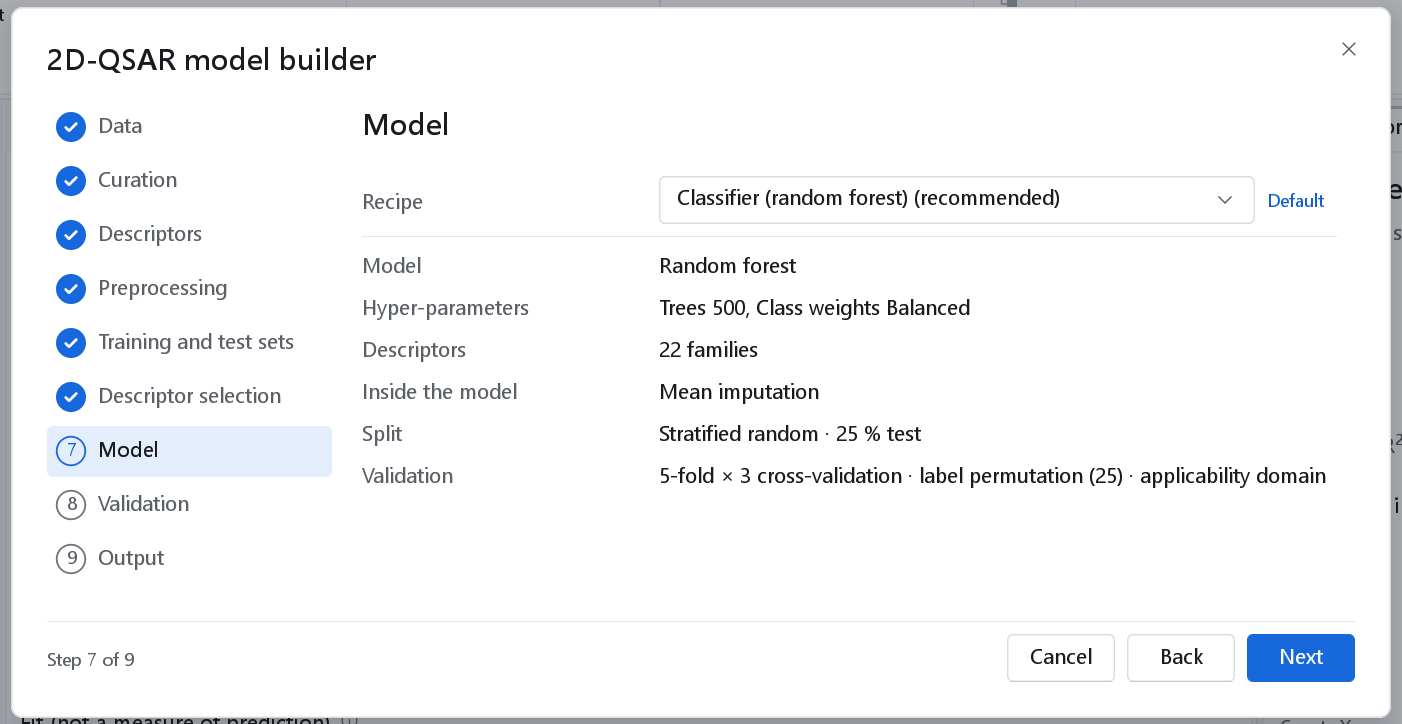
There are two choices of recipe: Classifier (random forest), the default, and Custom. Automatic model search is offered for regression only in the wizard. The recipe measures the applicability domain by the kNN distance, over the classical descriptors or the fingerprint Tanimoto distance; it has no leverage.
| Classifier | Main hyper-parameters (default) | When to use it |
|---|---|---|
| Random forest | Trees (500), Features per split (Automatic: square root of p), Split criterion (Gini; Entropy), Maximum depth (0 = unlimited), Minimum leaf size (1), Class weights (None; Balanced), Bootstrap (on). | The default: robust, few settings, no scaling needed. |
| Extra trees | As the random forest, with random thresholds and no bootstrap. | A faster, smoother forest. |
| Gradient boosting | Boosting rounds (500), Learning rate (0.05), Tree depth (3), Row subsample (0.8), Minimum leaf size (5), Class weights. | Often the most accurate tree model on larger sets. |
| Support vector classifier | Kernel (Gaussian (RBF); Linear, Polynomial, Sigmoid, Tanimoto), C (1.0), Gamma (0 = 1/p), Probabilities (off), Class weights, X scaling (Autoscale). | Tick Probabilities for a ROC curve and log loss; without them the model gives decision values only. |
| k nearest neighbours | Neighbours (5), Distance (Euclidean; Tanimoto and others), Weighting, X scaling, Class weights. | A local baseline. |
| Logistic regression | Penalty (L2; L1, Elastic net, None), Penalty strength (0.001), L1 fraction (0.5), Standardise (on), Class weights. | A linear, interpretable classifier. |
| Linear discriminant analysis, Quadratic discriminant analysis | Class priors (Class frequencies; Uniform), Shrinkage (0); Pooling (0) for QDA. | Few descriptors and roughly normal classes. |
| Gaussian naive Bayes, Bernoulli naive Bayes | Class priors; Variance smoothing; Smoothing (1.0) and Bit threshold (0.5) for Bernoulli. | Bernoulli naive Bayes on bit fingerprints is a fast baseline. |
| Neural network | Hidden layers (64, 0, 0), Activation (ReLU), Learning rate (0.001), Maximum epochs (500), Early stopping (on), Class weights. | Large sets only. |
| Classification tree | Maximum depth, Minimum leaf size, Pruning, Class weights. | One readable tree. |
| Class-balanced classifier | Resampling (SMOTE; Random over-sampling, Random under-sampling), Target ratio (1.0), SMOTE neighbours (5), Classifier (Random forest). | Strong imbalance that class weights do not fix. |
Class balance
When one class is much larger than the other, a model can reach a high accuracy by predicting the large class for everything. Three things guard against this:
- The dataset node warns when the smallest class holds less than 10 % of the compounds.
- Class weights set to Balanced weight every compound by the inverse of the size of its class, so both classes count equally in the fit. The default recipe does this. Discriminant analysis and naive Bayes use Class priors (Uniform) for the same purpose.
- The Class-balanced classifier resamples the training rows of every fit (SMOTE creates synthetic minority compounds between neighbours; over- and under-sampling repeat or drop compounds). The resampling is done inside each fit, so no synthetic compound reaches a cross-validation or test prediction.
Judge an imbalanced model by balanced accuracy, MCC and ROC AUC rather than accuracy (see The classifier dashboard).
Validation
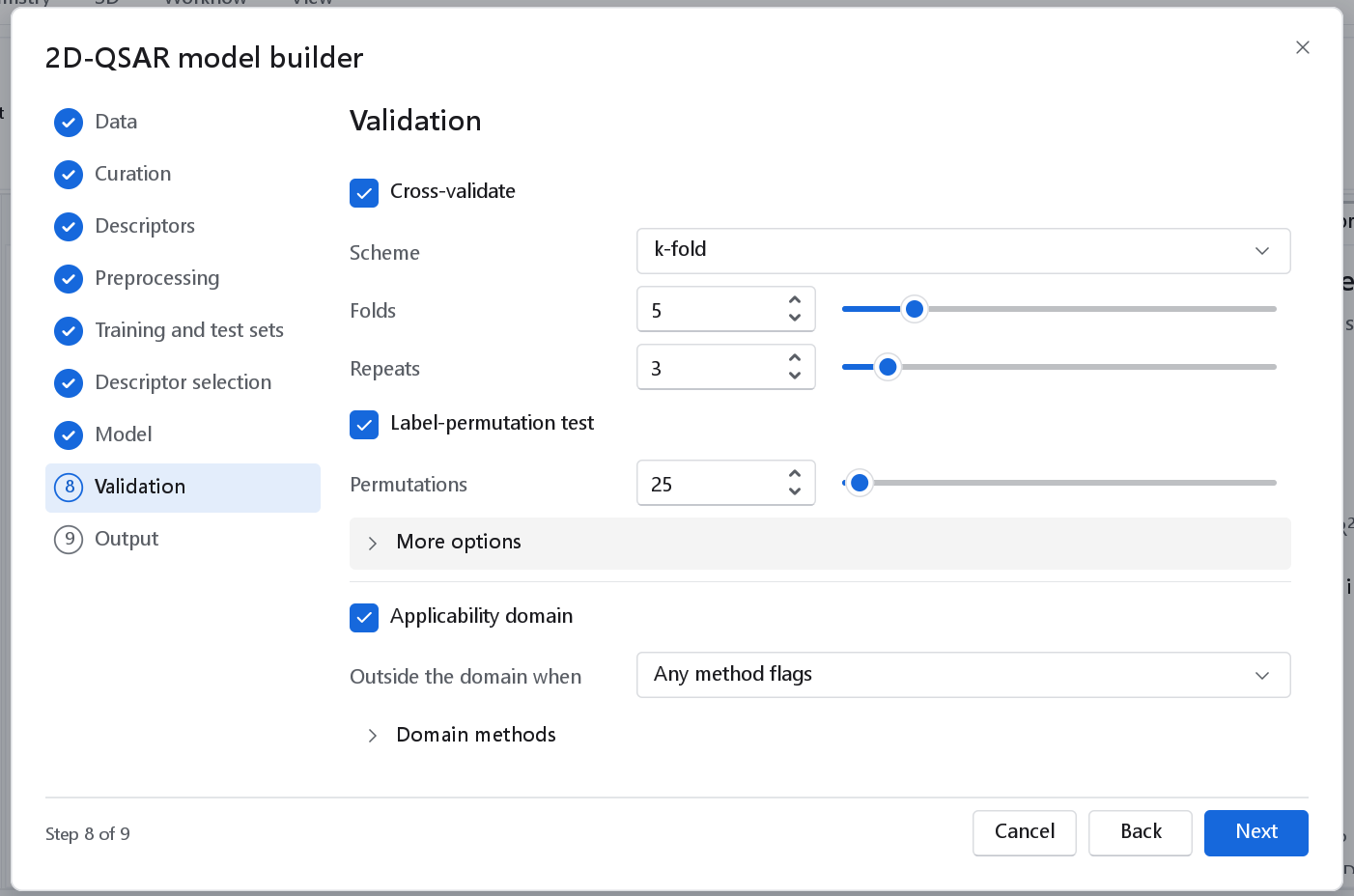
| Option | What it does | Default |
|---|---|---|
| Cross-validate, Scheme | Leave-one-out, k-fold or Leave-many-out. More options: Stratify folds (on), so that every fold keeps the class proportions. | k-fold |
| Folds, Repeats | 5, 3 | |
| Label-permutation test | The classifier is cross-validated again with the class labels shuffled; the cross-validated MCC of the true labels is compared with those of the shuffles. | On in the recipe |
| Permutations | The number of shuffles, from 5. With 25 the smallest possible p value is 1/26 = 0.038. | 25 in the recipe |
| Positive class (More options) | The label of the class whose sensitivity, specificity, precision, F1 and ROC curve are reported. A class is named, not numbered: type blocker or active. A name that is not a class of the response is refused with the list of the classes, so a typing mistake cannot pass unnoticed. | Empty, which deduces it |
| Applicability domain, Outside the domain when, Domain methods | As for regression. | On, any method flags |
Left empty, Positive class is deduced and the choice is always reported. Two rules are tried, in this order. First the negation rule: where one of two labels is the other with a leading non, not, no, in or un, the label that is not the negation is the positive class, so blocker is positive beside non_blocker. Then the convention rule: where exactly one label is a conventional name of the class of interest (active, blocker, toxic, mutagen, carcinogen, inhibitor, binder, hit, permeant, soluble, positive, yes, true, 1), that one is positive. When neither rule applies the last class in alphabetical order is used and the run warns, so the choice is never silent.
The class the statistics describe is reported in three places: the log of the validation node, the row Positive class on the Overview tab of the classifier dashboard, and the same row on the cover of the report. Accuracy, balanced accuracy, MCC and Cohen kappa are symmetric and do not depend on the choice; sensitivity, specificity, precision, F1 and the ROC curve do.
With more than two classes no ROC AUC is reported, and sensitivity, specificity, precision and F1 are given for each class against the rest.
Output
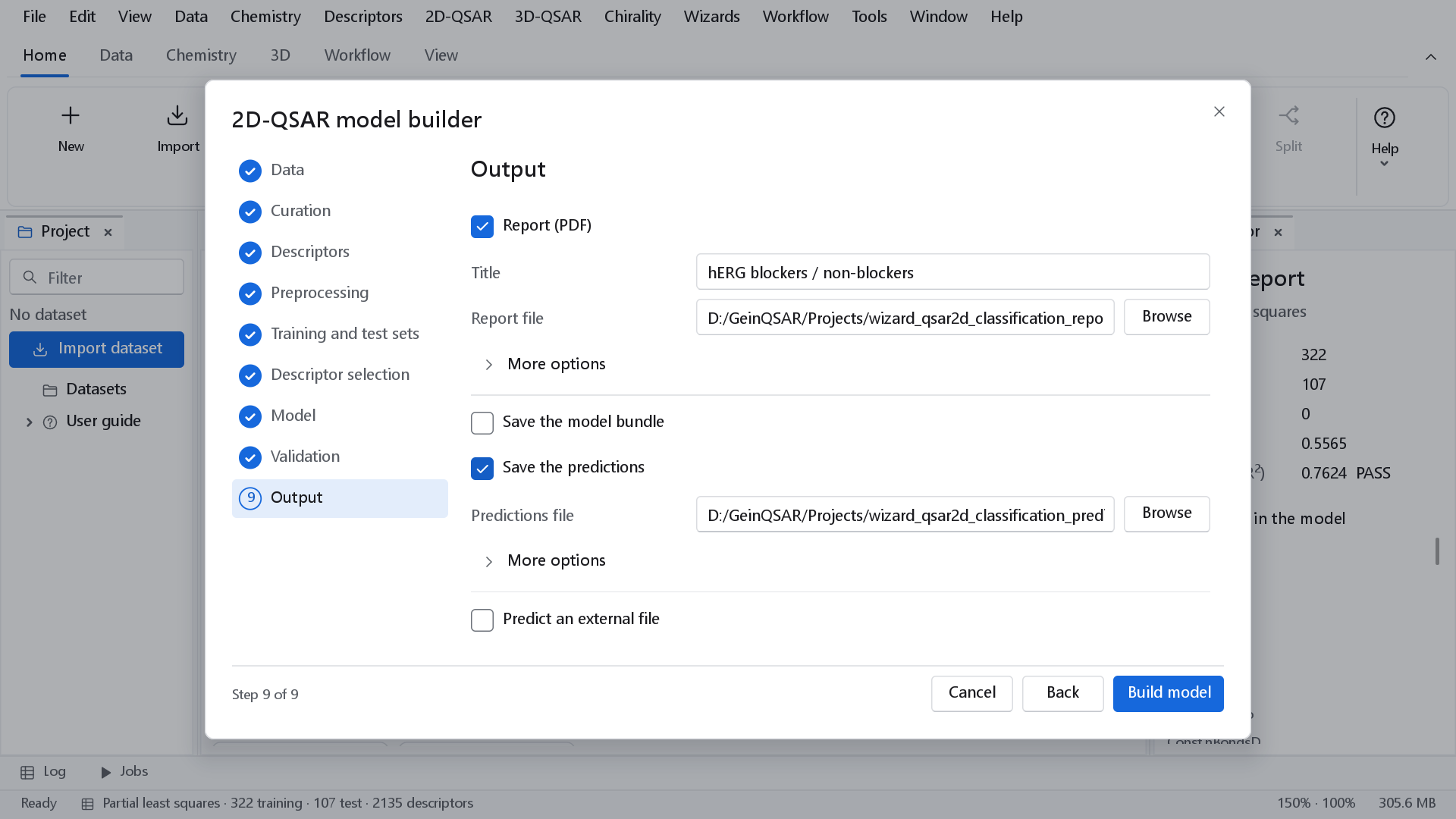
The outputs are those of regression. The predictions file holds the observed and the predicted class by label and one probability column per class. Save the cross-validated predictions is a regression option; for a classifier the cross-validated predictions are saved from the dashboard with Save CV predictions.
What a classifier built this way achieves: on the BBBP blood-brain barrier set (2050 compounds, 1474 training and 491 test) the default recipe gives a balanced accuracy of 0.7999 in cross-validation and 0.8027 on the test set, an MCC of 0.6837 and 0.6894, and a ROC AUC of 0.9306 and 0.9430. The dashboard of that model is shown in The classifier dashboard.