Designing a library
LIBQORA builds the molecules a scaffold and a set of substituents imply, computes their properties, predicts their activity with your own model, and ranks them.
LIBQORA (LIBrary design by QSAR-Oriented Ranking Analysis) answers the question that follows a finished model: which molecules should be made next. It takes a core with marked attachment points, or a single hit to decorate, joins the substituents you choose, discards the products you do not want, predicts each one with the models you supply, and puts the library in an order you define. Nothing leaves the program but a table, an SD file and a report: the molecules are proposals for synthesis, not results.
Open it with Wizards > LIBQORA library design, or from the card of the same name on the welcome page. The wizard has seven pages: Scaffold, Substituents, Filters, Models, Interval, Ranking and Output. Design on the last page runs it and opens the library dashboard.
Scaffold
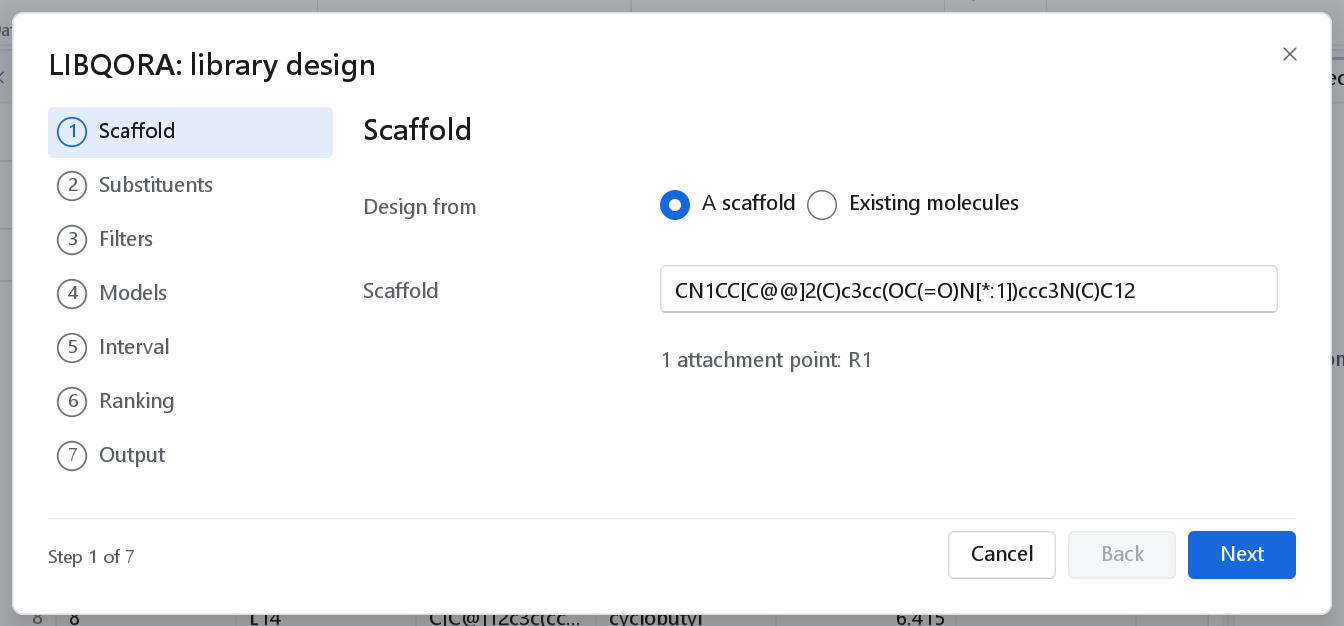
Design from chooses between the two ways of generating molecules.
| Choice | What it builds |
|---|---|
| A scaffold | A core with numbered attachment points, varied at every point at once. The Scaffold field takes SMILES in which each position to vary carries a numbered marker, [*:1], [*:2] and so on; each marker must have exactly one neighbour. The combinatorial product of the substituent lists is enumerated. |
| Existing molecules | Single-point substitutions on a hit: every analogue differs in exactly one position. The molecules come from a dataset, and Positions to substitute takes a SMARTS pattern, [cH] by default, which is every aromatic carbon that carries a hydrogen. Only matched atoms that carry a hydrogen are used. |
| Control | Default | What it does |
|---|---|---|
| Scaffold | Empty | The core, as SMILES with numbered attachment points. The status line reads, for example, 1 attachment point: R1 or 2 attachment points: R1, R2, and turns red with the reason when the SMILES cannot be read. |
| Positions to substitute | [cH] | Decorating a hit: the SMARTS pattern that marks the atoms to substitute. |
| Keep the parent molecule in the library | Off | Decorating a hit: puts the unchanged molecule in the library as well, so the analogues can be compared with it in the same ranking. |
| Standardize the structures that are read | On | Decorating a hit: puts the molecules read from the file through the standardisation of Preparing the data first. Standardization options opens its settings. |
Substituents
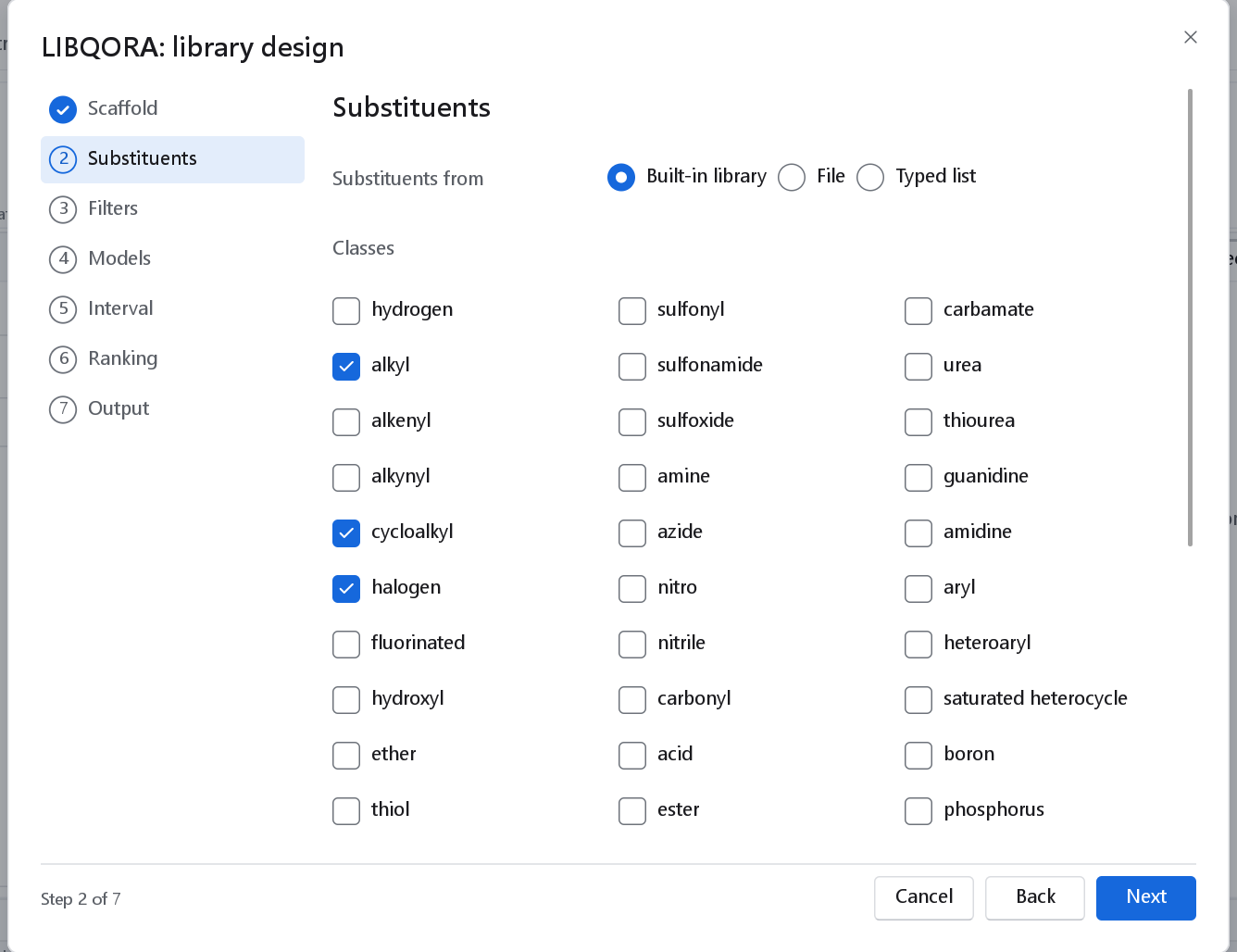
Substituents from chooses the source.
| Choice | What it reads |
|---|---|
| Built-in library | The groups shipped with the program: 319 substituents in 33 classes, every one of which attaches to an aromatic carbon without a valence error, and no two of which are the same group. The Classes boxes restrict it; nothing ticked means the whole library. |
| File | A .csv or .tsv with a smiles column, or a file with one SMILES per line. Each entry carries exactly one attachment point, [*]. |
| Substituents (a typed list) | One per line: a SMILES with exactly one [*], optionally followed by a name. A line R1: or R2: starts the list of one attachment point, so each point can be varied over groups of its own. |
| Control | Default | What it does and when to change it |
|---|---|---|
| Maximum molecules | 10000 | A hard cap. The enumeration stops there and says so, rather than filling the memory of the machine. Raise it only when the library is meant to be that large and the ranking will reduce it again. |
| Random sample | 0 | Draws this many combinations at random instead of enumerating every one; 0 enumerates everything. Use it when the product of the lists is far larger than the cap. The sample is reproducible from the seed on the Output page. |
| Remove duplicate products | On | Products that are the same molecule by canonical SMILES are kept once. Two different substituent combinations often give one molecule on a symmetric core. |
| Standardize the products | Off | Puts the built molecules through standardisation. Off by default, because a product built from standardised parts normally needs nothing further. |
| Stereochemistry | As supplied | As supplied keeps the stereochemistry the scaffold and the substituents carry. Remove drops it, which is right when the synthesis will give a racemate. |
Products that are not built
A combinatorial enumeration joins whatever two lists put next to each other, and some of those bonds belong to no stable drug-like molecule. LIBQORA judges the bond it has just made, and refuses the product when that bond is one of these:
| Refused | Why |
|---|---|
| A halogen on nitrogen, oxygen, phosphorus or sulfur | An N-halogen such as an N-F carbamate is an oxidant, not a candidate. |
| A halogen on a halogen | An interhalogen bond. |
| A peroxide, O-O | Hydrolytically and thermally unstable. |
| A disulfide, S-S, made by the enumeration | Reduced in a cell. |
| A sulfenate ester, O-S with divalent sulfur | Hydrolyses readily. |
| An acyl-O-S mixed anhydride | As reactive as a carboxylic anhydride. |
| A carboxylic anhydride, acyl-O-acyl | Acylates whatever it meets first. |
| A sulfenamide, N-S with divalent sulfur | Cleaved by thiols. |
| A hydrazine N-N, with neither nitrogen acylated or oxidised | Oxidised in air. |
| An unstabilised N-O, an alkoxyamine | Weak bond, and a toxicophore. |
The rules refuse only the genuinely unstable cases. Sulfate, sulfonate and sulfamate esters keep joining, because such esters are marketed drugs; so do carbonates, ordinary and acyloxyalkyl esters, sulfonamides, sulfinamides, hydrazides, semicarbazides, hydroxamic acids, oximes, N-oxides and any halogen on carbon. The judgement does not depend on which of the two partners the enumeration brought to the bond.
Filters
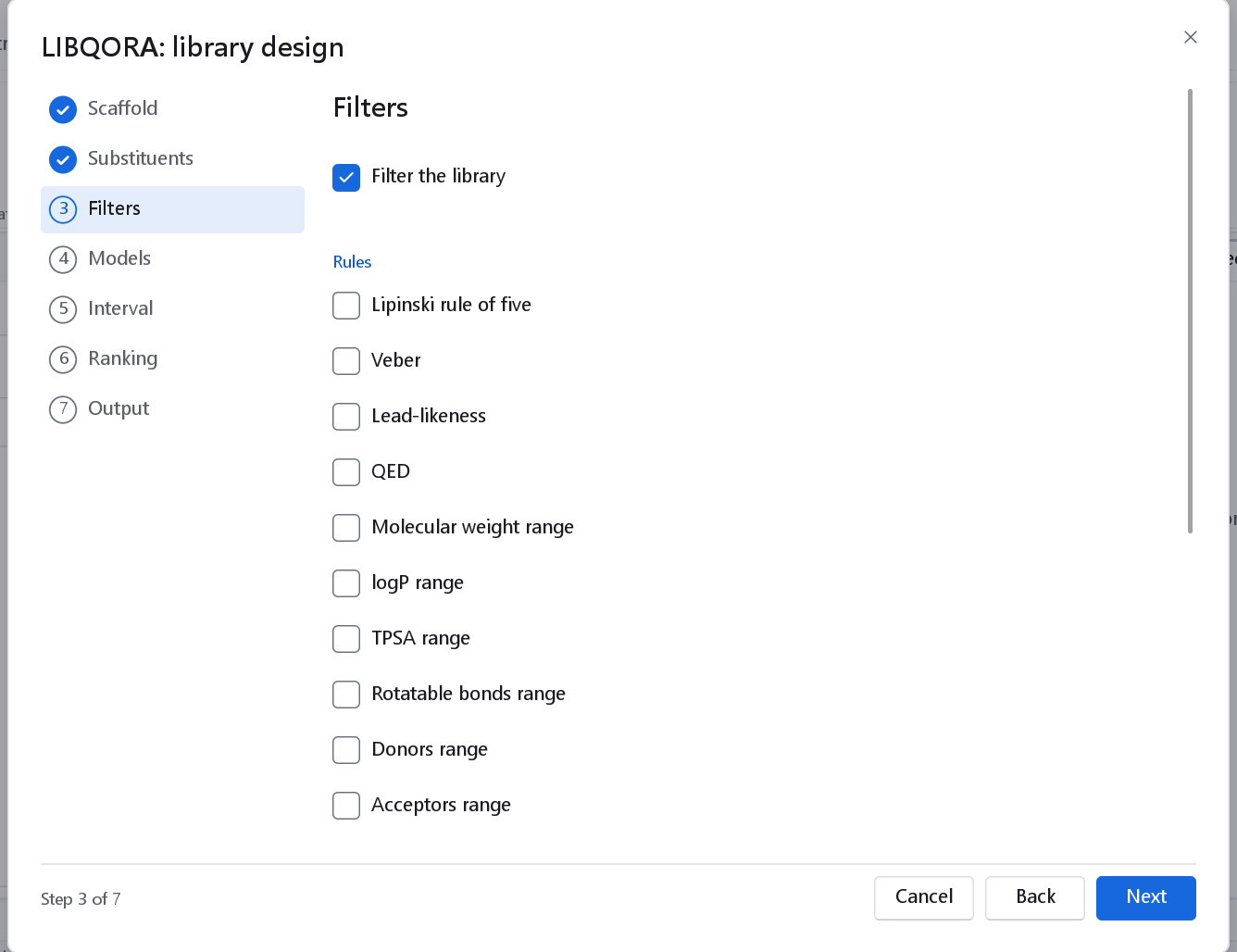
Filter the library switches the whole page on. Every filter is then still off until you switch it on: nothing is discarded that you did not ask to discard. The verdict of every filter on every molecule is kept and reaches the dashboard and the report, so a molecule that is missing from the library can be traced to the rule that removed it.
| Filter | Default when switched on | What it keeps |
|---|---|---|
| Lipinski rule of five | At most 1 violation | The rule of five, with the number of violations allowed set by you. |
| Veber | Rotatable bonds at most 10 and polar surface area at most 140 Å2. | |
| Lead-likeness | The tighter limits of a lead rather than a drug. | |
| QED | At least 0.5 | Molecules above a drug-likeness score. |
| Molecular weight range, logP range, TPSA range, Rotatable bonds range, Donors range, Acceptors range | 150 to 500, -1 to 5, 0 to 140, 0 to 10, 0 to 5, 0 to 10 | Each range has its own box and its own two limits, so one property can be constrained without the others. |
| PAINS | Removes molecules that match a pan-assay interference pattern. The program carries 52 patterns of its own, which are not the whole published set; measured against an independent implementation of the 480 published filters on 7 160 structures they recover 65 % of what it flags, with 60 % precision and 92 % agreement overall. Use it to thin a library, not as proof that a molecule is clean. | |
| Unwanted groups | Removes molecules carrying a reactive or otherwise unwanted group, by the structural alerts described under Molecular descriptors. | |
| Synthetic accessibility | At most 6.0 | A fragment-frequency score from 1, the easiest, to 10. It was fitted on the structures shipped with the program, so it ranks molecules against those; benzene scores 1.00, aspirin 1.83, caffeine 3.95, morphine 8.62. |
| Training-set similarity | 0.3 to 1.0 | Keeps only molecules close enough to the compounds the model was fitted on for the model to speak about them. It needs those compounds: switch on Training set available below the filters and choose the dataset, or the run refuses with the reason. |
Models
| Control | Default | What it does |
|---|---|---|
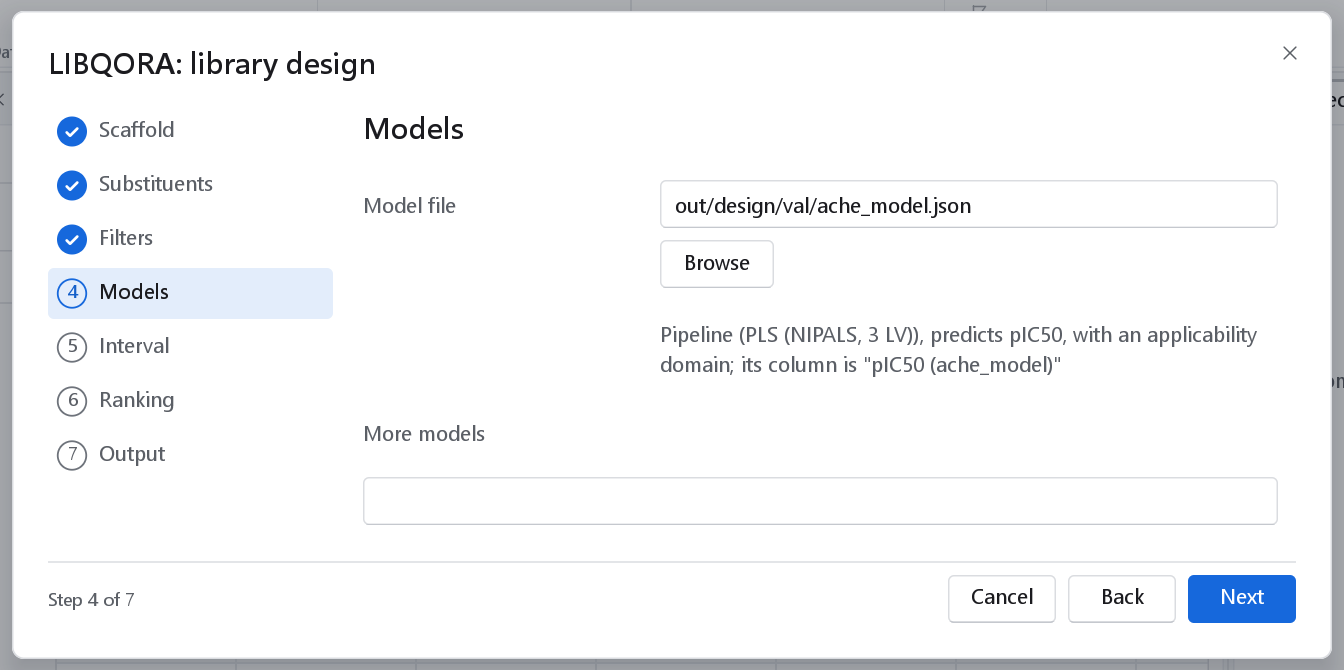
| Model file, Browse | Empty | A 2D model bundle (.json) or a saved 3D-QSAR model (.gqfm), from the 2D-QSAR wizard, the 3D-QSAR wizard or a model dashboard. A design needs no model: it can be ranked on computed properties alone. A model makes the ranking an activity ranking. The description line names the model, the response it predicts, the column it writes, and states in capitals when the model carries no applicability domain. |
| More models | Empty | One file per line. Each model gets a column of its own, which can be an objective of its own, so a library can be ranked for potency and against an off-target at the same time. |
Interval
A prediction without a spread is a number without a scale. This page calibrates a prediction interval, and it is a page of its own because the warning it carries has to be read before the four settings are used.
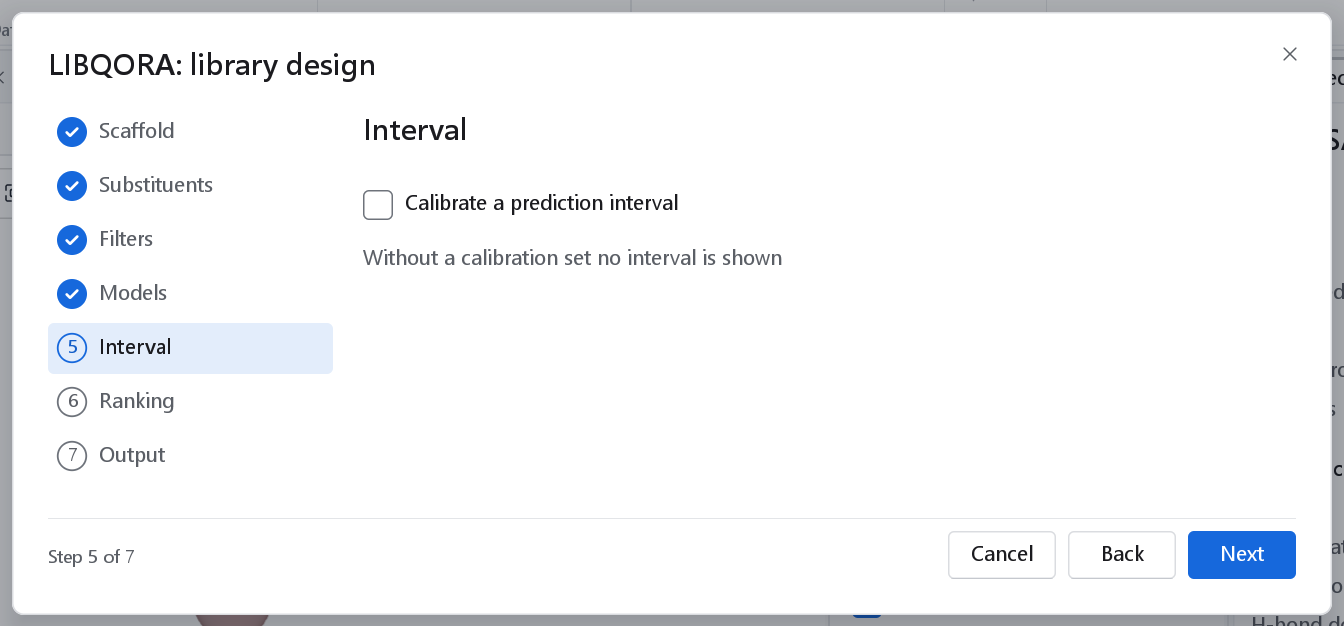
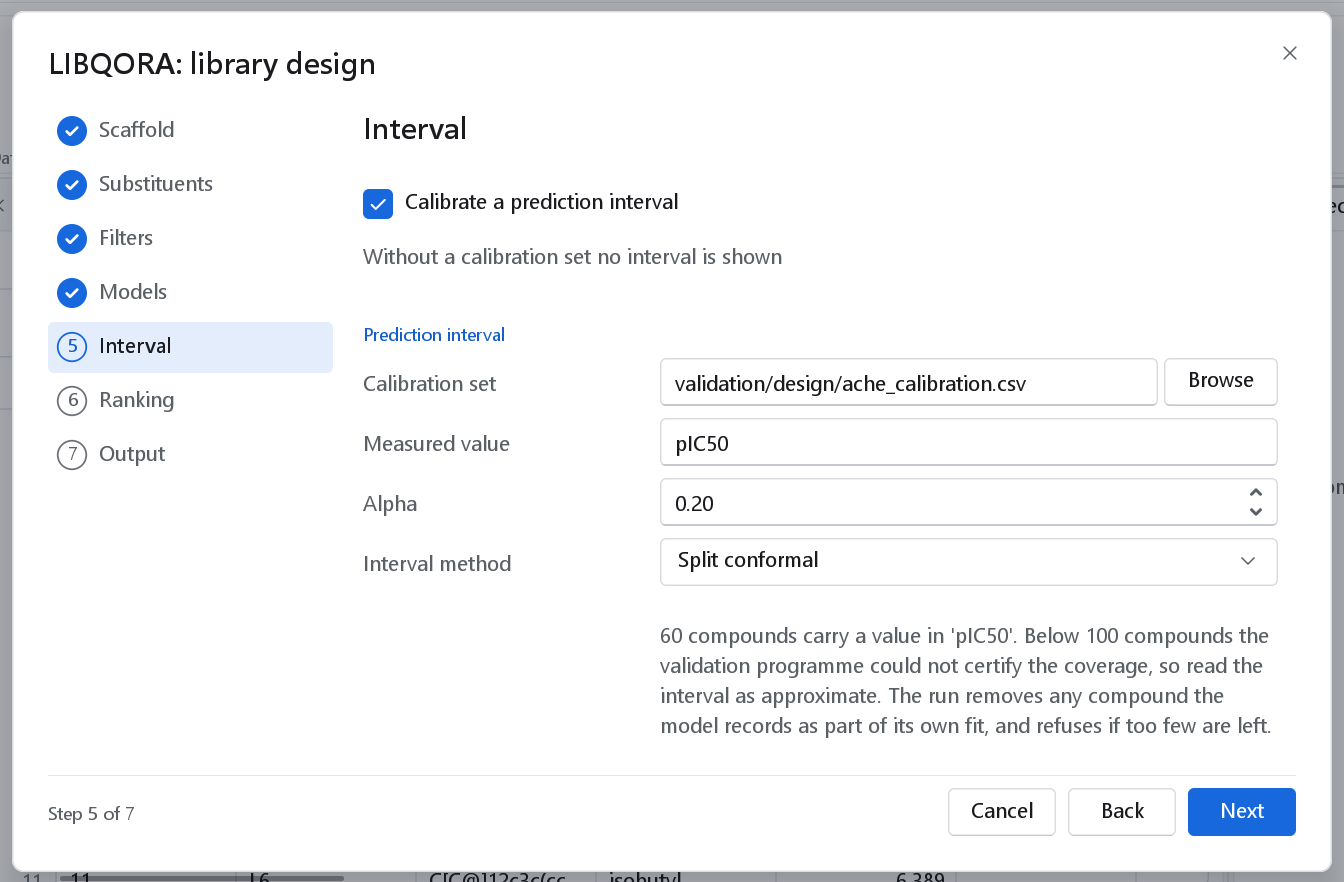
Calibrate a prediction interval is off by default, and switching it off again clears the four settings rather than leaving them to take effect silently.
| Control | Default | What it does |
|---|---|---|
| Calibration set | Empty | A file of measured compounds the model was not fitted on. Without it no interval is reported. |
| Measured value | Empty | The property of that file which holds the measured value, for example pIC50. |
| Alpha | 0.2 | The interval is built to cover 1 minus alpha of the compounds: 0.2 gives an 80 % interval, 0.1 a 90 % one. Strictly between 0 and 1. |
| Interval method | Split conformal | Split conformal gives one half-width to every compound, from the absolute calibration residuals. Normalised conformal lets the half-width follow the model's own standard error, while the calibration still fixes its size. |
Why the model's own standard error is not used: that figure is the error of the model's fit. On the first validation of this module a model bundle quoted 0.607 log units while the real spread of its errors on compounds it had never seen was 0.947, so an interval taken from it would have been about a third too narrow. Split conformal prediction builds the interval instead from residuals the model never saw (Papadopoulos and colleagues, ECML 2002; Norinder and colleagues, J. Chem. Inf. Model. 2014, 54, 1596). On the shipped example the calibrated 80 % interval covered 20 of 25 held-out compounds, that is 80.0 %, where an interval from the model's own standard error covered 15 of 25.
| The wizard refuses | Because |
|---|---|
| A calibration set with fewer than 20 compounds | With n compounds the finest coverage that can be certified is 1 minus 1/(n + 1), so below 20 no interval is reported rather than an approximate one. The message names the number the file holds. |
| A coverage finer than the set can certify | The message says what the file can certify and offers the two ways out: raise alpha, or calibrate on more compounds. |
| A calibration file with no measured-value property named | There is nothing to compare with. |
| Any of the four settings while the interval is off | A setting that has no effect is a setting that misleads. |
| A calibration set without a model | An interval is calibrated against a model. |
Ranking
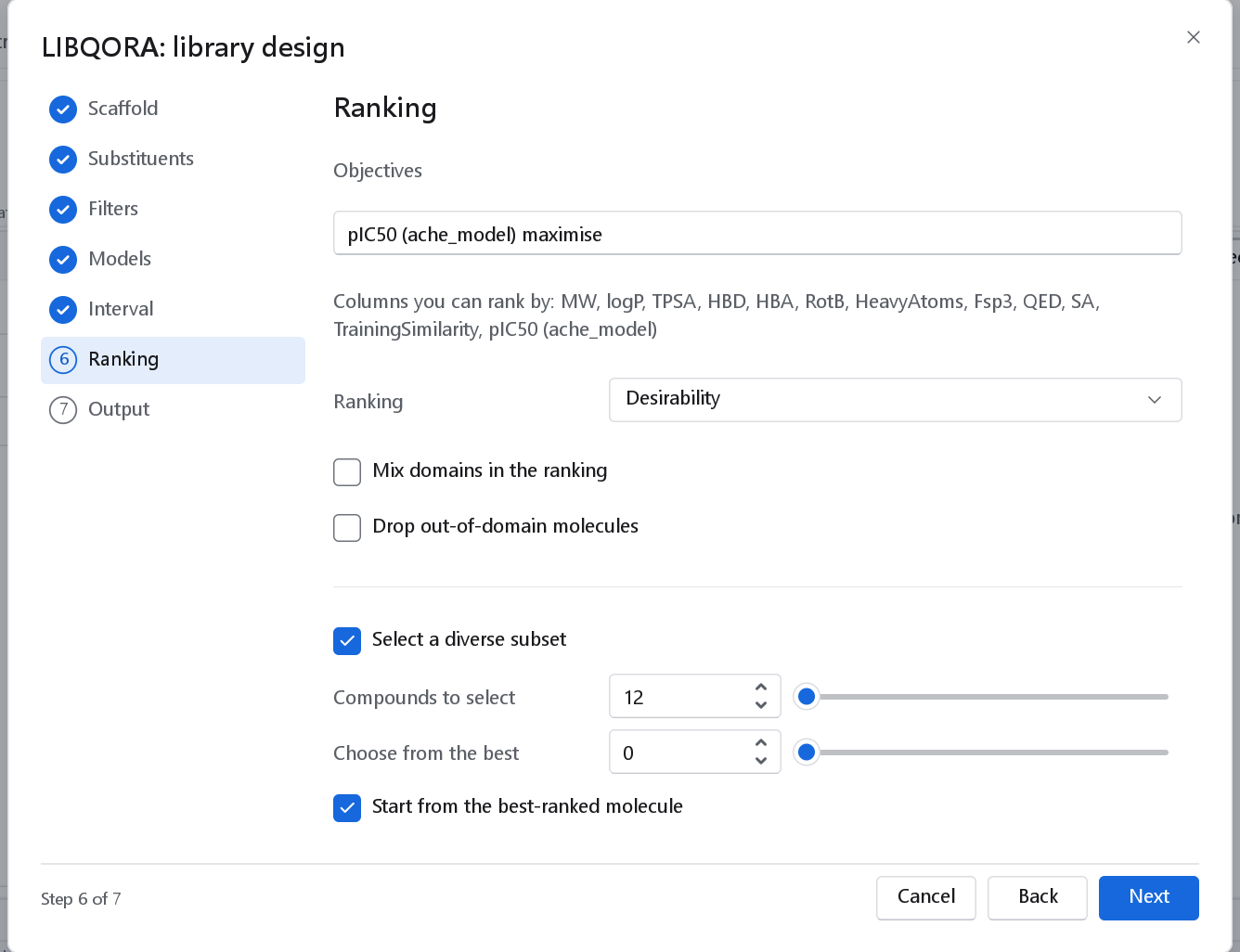
Objectives is where a library becomes a list. Each objective is written as <column> maximise, minimise or target, with optional weight=, low=, high= and target=; several objectives are separated by semicolons. Without low and high the limits are taken from the library itself. Columns you can rank by names every column that will exist: the predicted value of each model, the computed properties, the scores of the filters and the similarity to the training set.
pIC50 maximise; QED maximise weight=0.5
pIC50 maximise low=5 high=9; MW target target=380; SA minimise| Control | Default | What it does |
|---|---|---|
| Ranking | Desirability | Desirability maps every objective onto 0 to 1 and combines them with their weights into one number, which gives a single order. Pareto fronts keeps the objectives separate and groups the molecules into fronts, so the trade-offs are visible instead of averaged away. |
| Mix domains in the ranking | Off | Off: every molecule the models can vouch for is ranked above every molecule they cannot. Switching it on lets predictions that are extrapolations reach the top of the list. |
| Drop out-of-domain molecules | Off | Removes them instead of ranking them last. Off by default, because a molecule outside the domain is still information: on the shipped example the 23 flagged molecules of 319 had the higher mean predicted activity, which is what extrapolation looks like. |
| Select a diverse subset | Off | A MaxMin selection on fingerprint distances: a short list that spans the chemistry of the library instead of a block of near-identical analogues. |
| Compounds to select | 24 | How many the selection returns. |
| Choose from the best | 0 | Consider only this many of the best-ranked molecules; 0 uses the whole library. A small number keeps the diverse set potent, a large one makes it diverse. |
| Start from the best-ranked molecule | On | The selection begins with the top of the ranking rather than with an arbitrary molecule. |
Output
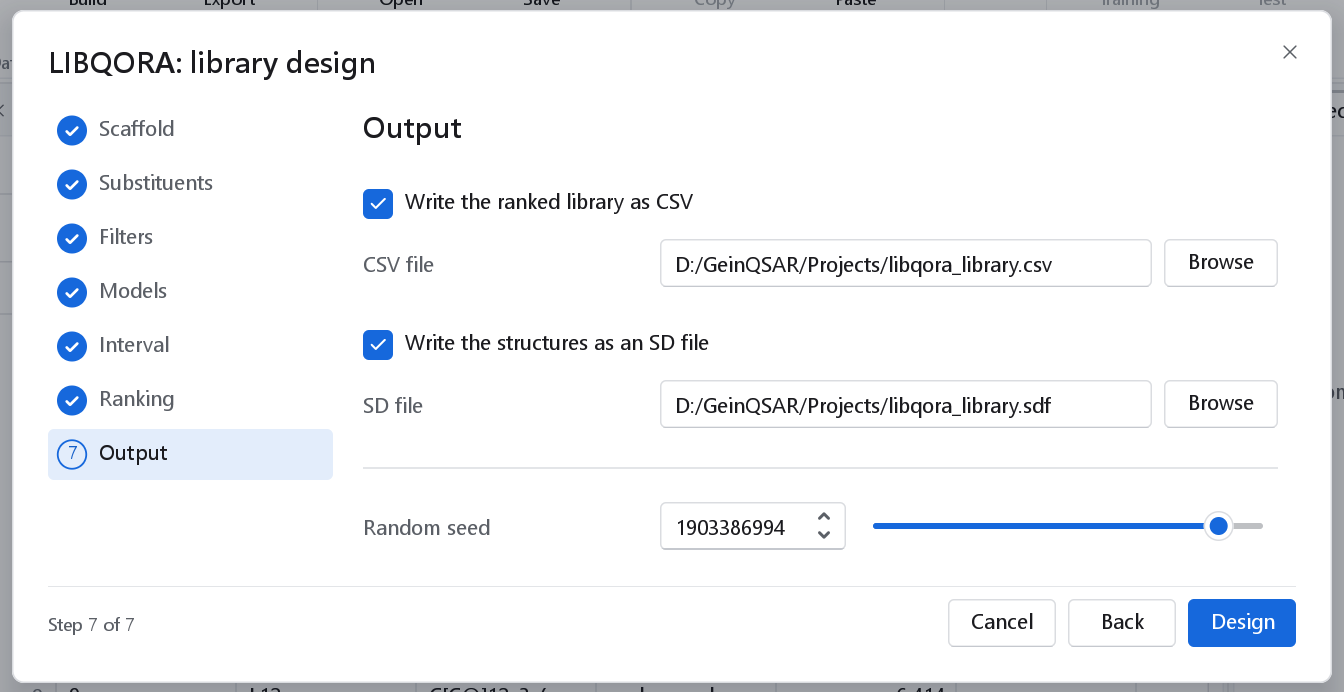
Documents\GeinQSAR\Output.| Control | Default | What it writes |
|---|---|---|
| Write the ranked library as CSV | On | The whole ranked table, every column of the run. |
| Write the structures as an SD file | Off | The structures with their results as data fields, for a program that takes structures. |
| Random seed | The program's own seed | The same settings and the same seed give the same library, byte for byte. Change it to draw another random sample or another diverse subset. |
At least one of the two files must be chosen, or the run leaves nothing behind and the page says so. Design runs the workflow and opens the dashboard; a notification counts the molecules ranked, those selected for diversity, and names the file.
From a workflow and from the command line
The wizard builds an ordinary workflow, so a design can be rerun, edited and put into a longer computation. The template LIBQORA library design in the template gallery (see Workflow templates) fits a model to a measured series and designs around a scaffold of its actives in one run, on the shipped acetylcholinesterase sample of 429 compounds. Five nodes do the work:
| Node | What it does |
|---|---|
| Enumerate library | The combinatorial product of the scaffold and the substituents. |
| Decorate a hit | Single-point analogues of the molecules on its input. |
| Filter library | The rules of the Filters page, with the training set on its second input for the similarity filter. Its second output is the verdict of every filter on every molecule. |
| Score and rank library | The models, the computed properties, the prediction interval and the ranking. A model reaches it either as a file parameter or through its Model input, so a model fitted in the same workflow can be used without being saved first. |
| Select diverse compounds | The MaxMin selection. |
On the command line, gqsar-cli design does the same work. --objectives is required, because a design with no objective has no order.
gqsar-cli design --scaffold "NC(=O)c1ccc([*:1])cc1" --classes alkyl,halogen,heteroaryl ^
    --model ache_model.json --filter lipinski,pains --objectives "pIC50 maximise; QED maximise weight=0.5" ^
    --select 24 -o designed_library.csv --sdf designed_library.sdf

gqsar-cli design --decorate hit.sdf --sites "[cH]" --model ache_model.json ^
    --calibration calibration.csv --activity pIC50 --alpha 0.2 --objectives "pIC50 maximise"
The options follow the pages: --scaffold or --decorate with --sites, --substituents or --classes, --filter with the names of the rules to apply (none is applied unless named), --training, --model once per model, --calibration with --activity, --alpha and --interval, --rank, --select and --from-top, --sample, --max, --seed and --stereo. --alpha, --interval and --activity without --calibration are refused rather than ignored. The full list is in The command line.