Formula columns
Columns computed from other columns with a small expression language: ligand efficiencies, unit conversions, classes for a classifier, combined scores.
A formula column holds the result of an expression evaluated for every row, such as [pIC50] - [Wildman-Crippen logP]. It is recalculated when a value it reads is edited, when descriptors are recomputed, and on Data > Recompute formulas (F5). A formula column behaves like any other numeric column: it can be sorted and filtered, used as the activity of a model, exported, and read by another formula.
Adding a formula column
Data > Add formula column, or Formula on the Data tab, opens the editor. To change a formula later, right-click the header of its column and choose Edit formula, or use the gear button in the column manager; the dialog is then called Edit formula column and its button Apply.
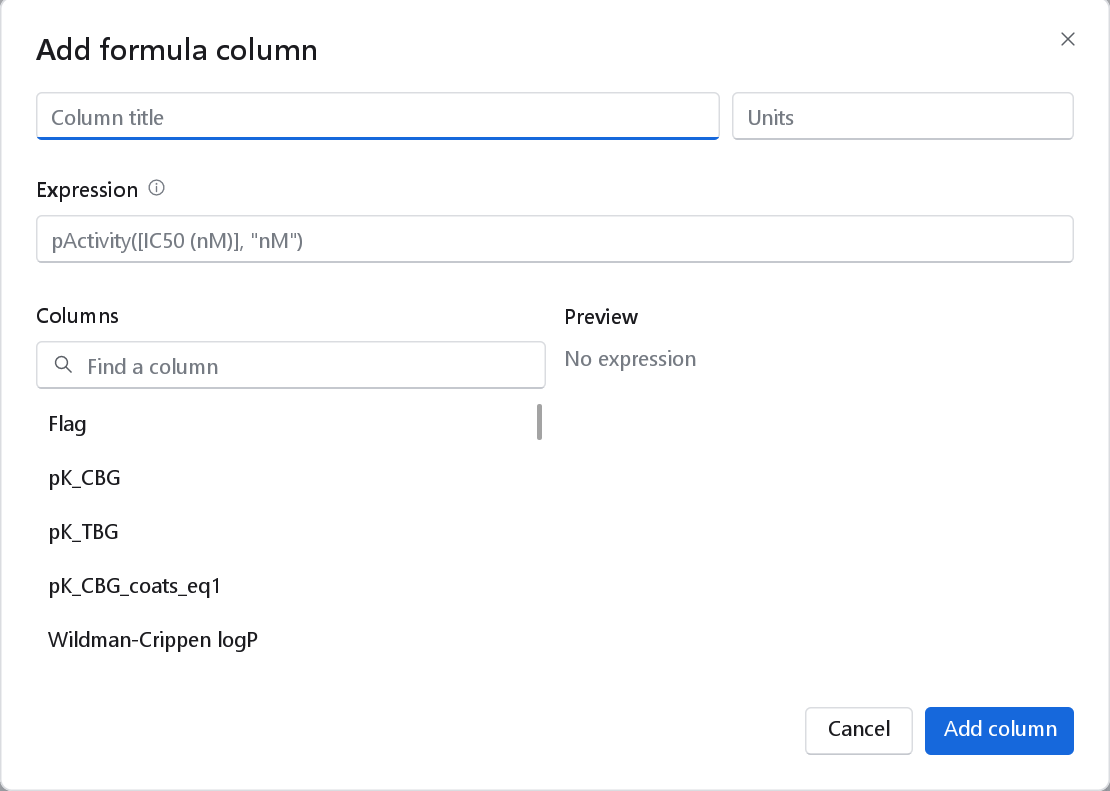
| Control | Meaning |
|---|---|
| Column title | The name of the new column. Left empty, it is called Formula. |
| Units | Optional; shown in the header tooltip and in exported files. |
| Expression | The formula. It is checked as you type; the help mark next to the label lists the operators and functions. |
| Columns | The numeric columns of the dataset, with their units. A click inserts a reference to the column at the end of the expression. Find a column narrows the list, which helps among hundreds of descriptors. |
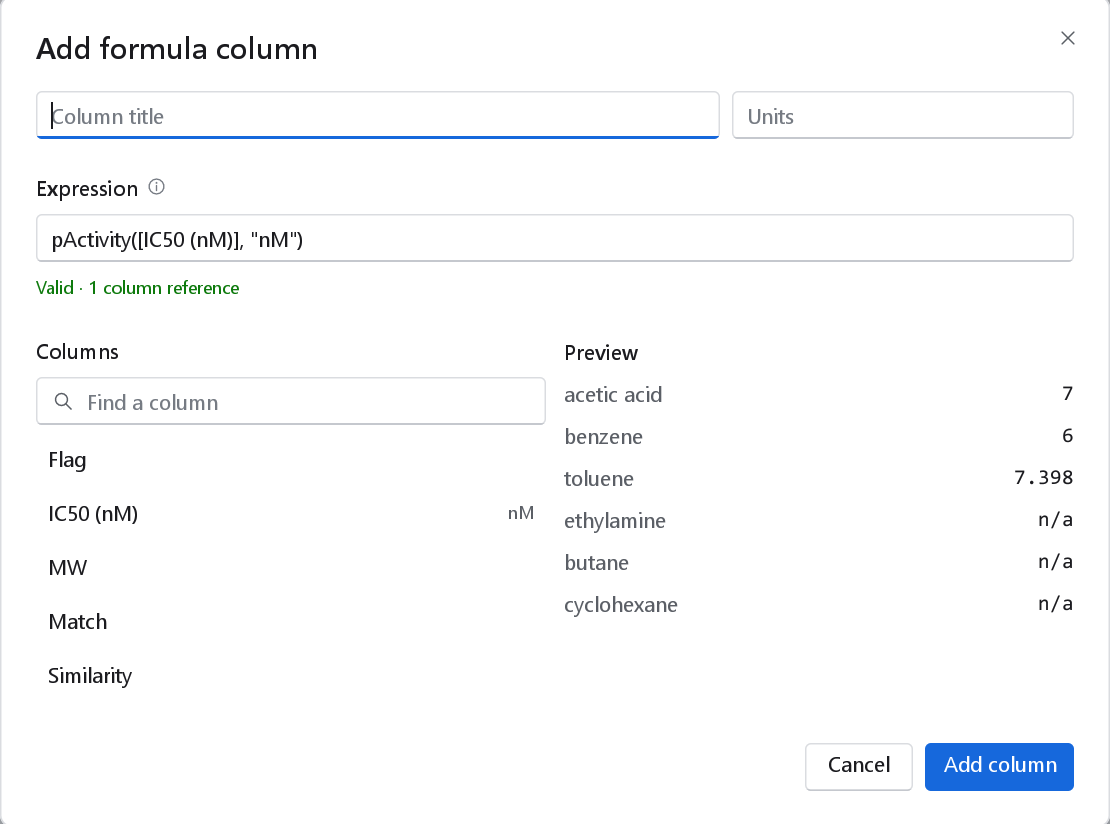
| Preview | The result for the first six rows, labelled by name. n/a marks a row where the result is missing. |
Referring to columns
Write a column title in square brackets: [IC50 (nM)], [Topological polar surface area (N,O)]. The title is matched without regard to case. A single word made of letters, digits, underscores and full stops can be written without brackets, so MW * 2 and [MW] * 2 are the same; anything with a space, a bracket, a comma or a sign needs the brackets.
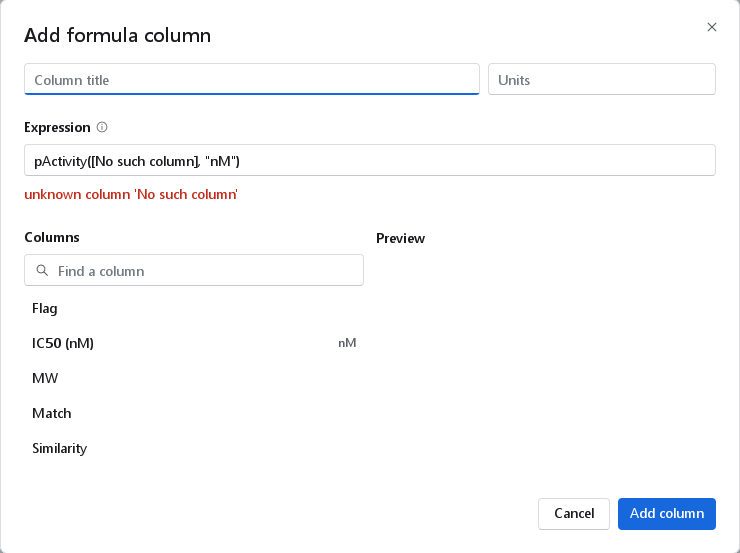
- A reference to a column that does not exist is an error that names the column.
- If a column a formula reads is later removed, the formula column shows empty cells and the Inspector shows the reason in red when you click the column.
[Flag]reads 1 for a flagged compound and 0 otherwise. Text columns read as missing.- A formula cannot read itself. Formulas are evaluated from left to right, so a formula that reads another formula column should stand to its right; move it with the column manager if needed.
- A formula keeps working when a column it reads is renamed: each column keeps the name it was created with as an internal key, and both the old and the new name find it.
Operators
| Operators | Meaning |
|---|---|
+ - * / | Arithmetic. |
% | Remainder of a division. |
^ | Power; it binds from right to left, so 2^3^2 is 29. |
< <= > >= == != | Comparisons, yielding 1 or 0. = is accepted for == and <> for !=. |
&& || ! | And, or, not. Any value other than 0 counts as true. |
( ) | Grouping. |
The order of precedence, from the tightest, is: unary minus and !, then ^, then * / %, then + -, then the comparisons, then &&, then ||. Use brackets when in doubt.
Functions
| Function | Meaning |
|---|---|
abs(x), sqrt(x), cbrt(x), exp(x) | Absolute value, square root, cube root, ex. |
ln(x), log10(x), log2(x) | Natural, decadic and binary logarithm. |
log(x, base) | Logarithm to any base. With one argument, log(x) is the natural logarithm, not the decadic one. |
pow(x, y), mod(x, y) | Power and remainder, as functions. |
round(x), round(x, digits) | Round to a whole number or to that many decimals. |
floor(x), ceil(x), trunc(x), sign(x) | Round down, round up, cut off the decimals, the sign (-1, 0 or 1). |
min(...), max(...), mean(...), sum(...) | Over the listed arguments, up to 64. Missing arguments are left out; the result is missing only when all are. avg is the same as mean. |
if(condition, a, b) | a when the condition is true, otherwise b; missing when the condition is missing. |
clamp(x, lo, hi) | x limited to the range from lo to hi. |
isnan(x), isfinite(x) | 1 when x is missing, or when it is an ordinary number; otherwise 0. |
nvl(x, fallback) | x, or the fallback when x is missing. ifnull is the same. |
atan2(y, x) | The angle of the point (x, y), in radians. |
pActivity(c, "unit") | -log10 of the molar concentration c given in the unit, one of "M", "mM", "uM" (or µM), "nM", "pM", "fM". Without a unit, c is taken as nanomolar. pIC50, pEC50, pKi and pKd are the same function under other names. |
Function names are not case sensitive. The constants pi, e, nan (a missing value), inf, true (1) and false (0) are available.
Missing values
Arithmetic with a missing value gives a missing value, so a row without the input stays empty rather than showing a wrong number. A result that is not a finite number, such as the logarithm of zero or a division by zero, is also stored as missing.
if([pIC50] >= 7, 1, 0) gives 0 for a compound without a pIC50, which a classifier would read as "inactive". Write if(isnan([pIC50]), nan, if([pIC50] >= 7, 1, 0)) to keep such rows empty.Examples
The examples assume the columns they name exist. The descriptor titles are those of the Physicochemical properties block (Descriptors > Physicochemical properties) and, for the heavy-atom count, the 2D descriptor set.
| Purpose | Expression |
|---|---|
| pIC50 from an IC50 in nanomolar | pIC50([IC50 (nM)]) |
| pKi from a Ki in micromolar | pKi([Ki], "uM") |
| A micromolar column in nanomolar | [IC50 (uM)] * 1000 |
| Lipophilic ligand efficiency, LLE = pIC50 - logP | [pIC50] - [Wildman-Crippen logP] |
| Ligand efficiency in kcal/mol per heavy atom, LE = 1.37 pIC50 / HA | 1.37 * [pIC50] / [Number of heavy atoms] |
| Mean of replicate measurements, ignoring missing runs | mean([pIC50 run 1], [pIC50 run 2], [pIC50 run 3]) |
| Spread of the replicates | max([pIC50 run 1], [pIC50 run 2]) - min([pIC50 run 1], [pIC50 run 2]) |
| Active (1) or inactive (0) at 1 µM, for a classifier, keeping unmeasured compounds empty | if(isnan([pIC50]), nan, [pIC50] >= 6) |
| A polar-surface cut-off as a 0/1 column | if([Topological polar surface area (N,O)] > 140, 1, 0) |
| Selectivity over an anti-target, in log units | [pIC50 target] - [pIC50 off-target] |
| Activity rounded to two decimals | round([pIC50], 2) |
| A censored range pulled into the assay window | clamp([pIC50], 4, 10) |
| A missing logP replaced by the series median | nvl([Wildman-Crippen logP], 2.5) |