PubChem, files and other sources
A ChEMBL publication for a 3D-QSAR series, PubChem assays and compound lists, your own measurements, and records downloaded before: how to find the data in each, and what to do when a service cannot be reached.
Whatever the source, the records arrive in one form and pass through the same curation, so the Study type, Curate, Review and Save pages work as described in Building a dataset from ChEMBL and Curation, review and saving. What differs is the second page, which takes the name of what it asks for.
ChEMBL publication
One paper is usually one chemical series measured in one laboratory with one protocol, which is what a 3D-QSAR study needs. The page is titled Publication.
- Enter the Publication id, the ChEMBL document identifier such as
CHEMBL1135872, and press Look up. Upper or lower case does not matter. The card that appears gives the title, the journal with year, volume and first page, the authors and the DOI, so that you can confirm it is the paper you mean. - Choose the Measurement type: IC50, Ki, Kd, EC50 or All types. With All types the most frequent potency type of the paper is used, and the Endpoint step reports which one.
- Optionally enter a Target id, for example
CHEMBL220, to keep only the measurements of the paper on that target. Empty keeps every target the paper reports; if there are several, the Curate page asks which one to use (see the step Target). - More options holds the Record limit.
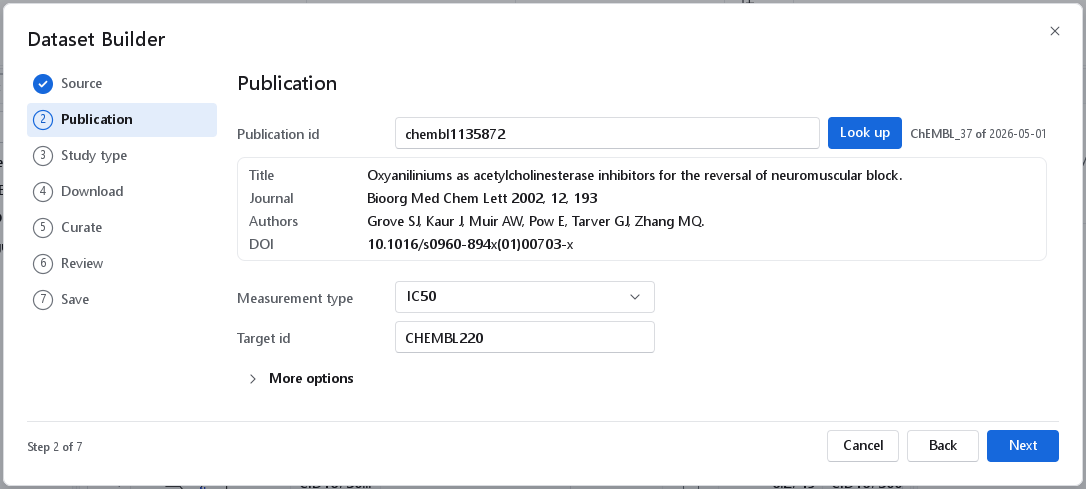
chembl1135872: the card confirms the paper (Bioorg Med Chem Lett 2002, 12, 193, with its authors and DOI). IC50 is chosen and the target is restricted to CHEMBL220.Publication identifiers are found on the ChEMBL page of a paper, in the Publications column of a table curated from a ChEMBL target, and in the Sources tab of its Curate page, which lists the publications with the most compounds first. A good series has at least 20 compounds with exact values spanning three log units or more.
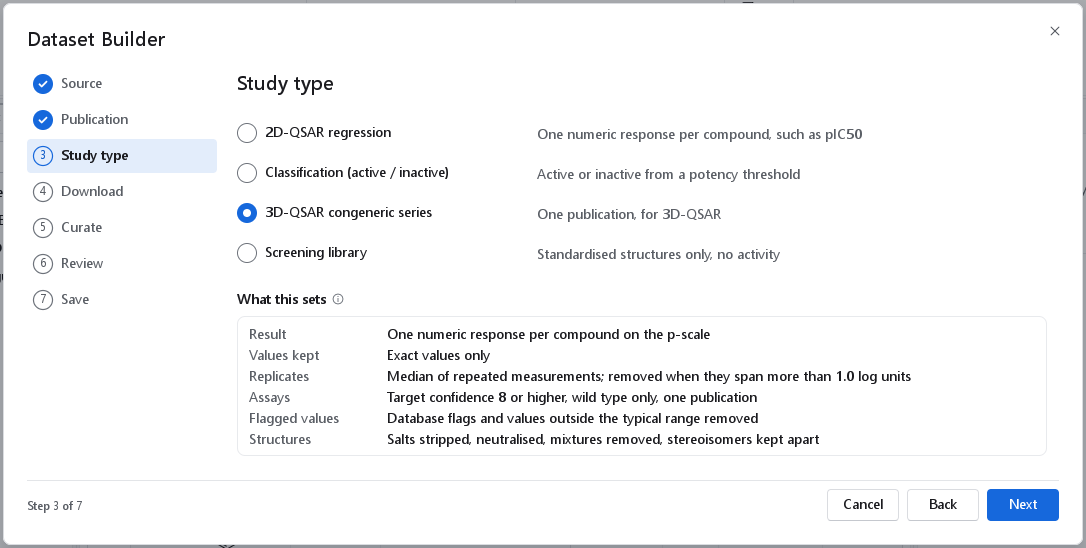
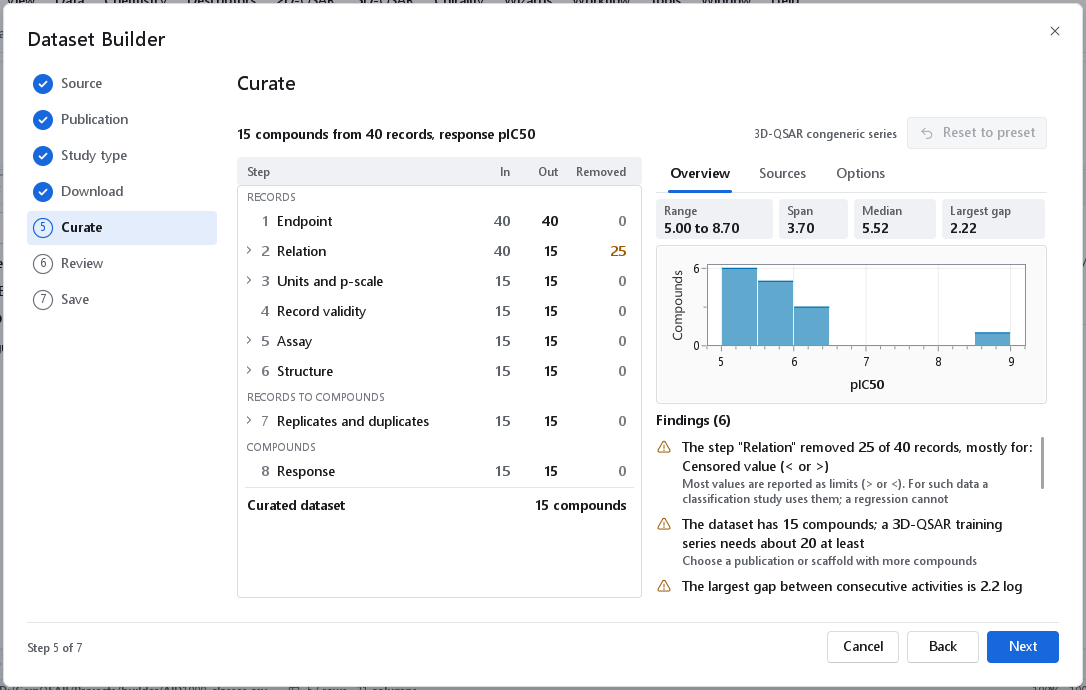
For a series larger and more varied than this, the Sources tab and the finding The set contains N different ring scaffolds tell you whether to restrict it to the most populated scaffold under 9 Series. A publication can also report the same compounds in several assays, one of which carries a placeholder value for every compound; restricting the set to one assay under 5 Assay then passes over the placeholder assay automatically.
PubChem BioAssay
The search box accepts three kinds of query. A number (or AID 1000) is read as the AID of one assay and loads it directly. A gene symbol such as ACHE or a protein accession such as P22303 lists the assays that test it, with their AID, name, method and the number of compounds and actives.
Listing the assays of a gene or a protein
A well-studied protein has thousands of assays, so the row under the search box says which of them are listed and in which order. The settings apply to the next search.
| Setting | What it does | Why |
|---|---|---|
| Largest first | On when the page opens. Lists the assays by the number of tested compounds. Off, PubChem's own order is used: by AID, the oldest first. | The oldest assays are mostly tiny; in AID order the first 15 assays of ACHE have at most 24 compounds each. |
| With a potency value | Lists only the assays that report a potency for their compounds (IC50, Ki, EC50, AC50). | A regression needs such a value; an assay without one gives active and inactive only. |
| Organism | For a gene symbol: the organism whose gene is meant, for example Homo sapiens. Empty lists the assays of every species that has a gene of that name. | A gene symbol is not unique across species. A protein accession is specific already. |
| Smallest size | Lists only the assays that tested at least that many compounds. 0 lists all. | Hides assays too small to model. |
The line above the list is honest about the numbers: 25 of 1,199 assays (2,091 before the filters) means that 25 are listed, 1,199 pass the filters and PubChem holds 2,091. Show more lists the next window of the same ranking. A click on a column heading sorts the rows that are listed. A new search clears the selection. PubChem states a method for about three assays in five; the others are listed without one.
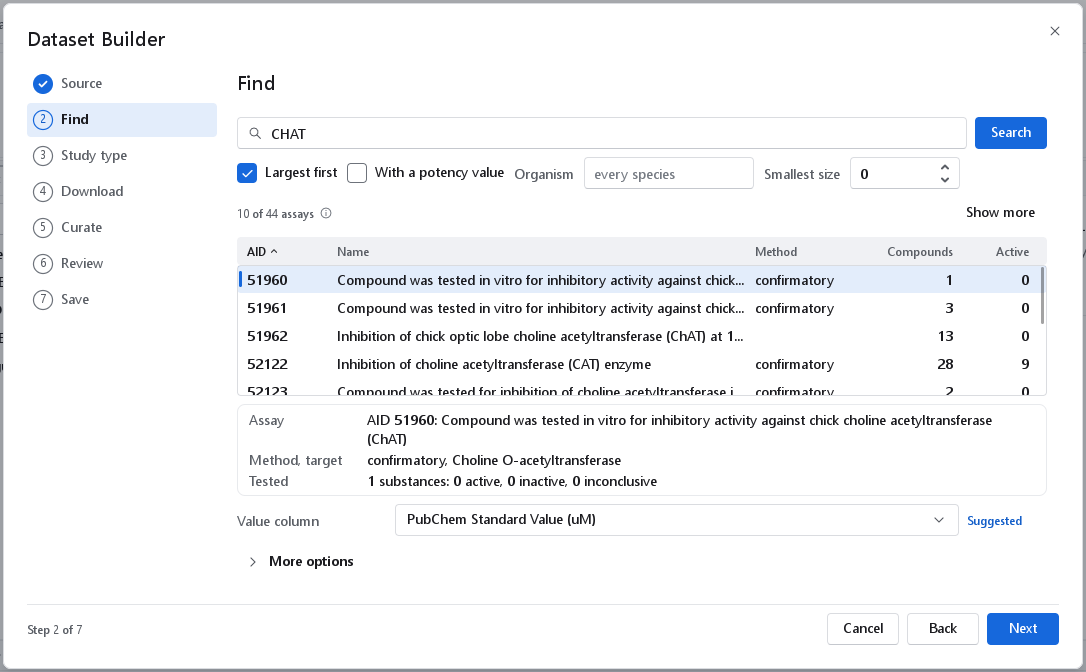
CHAT, largest first: 10 of 44 are listed and Show more adds the next ones. The listed rows are sorted by AID (the arrow on the heading). AID 51960 is selected and its summary is shown below the list.The chosen assay
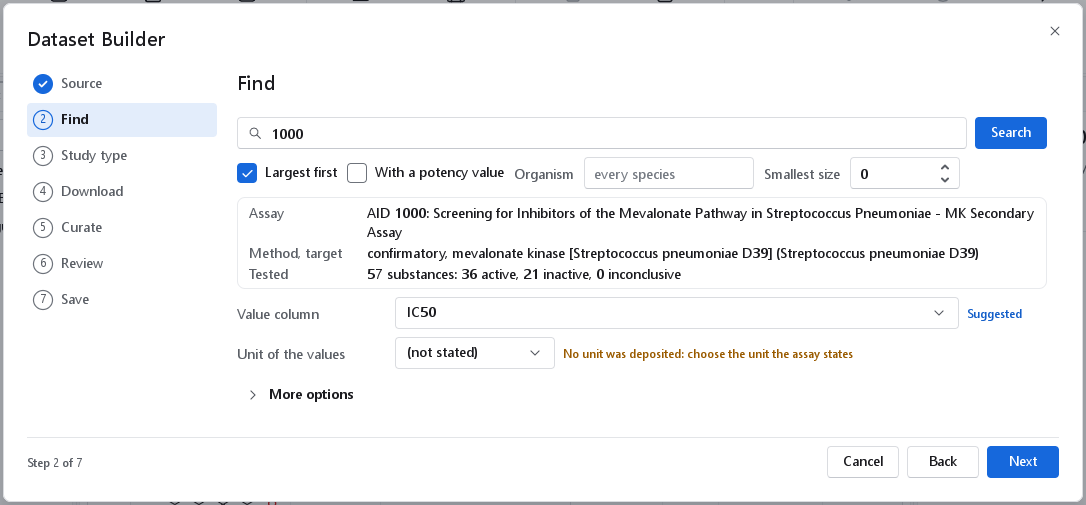
Selecting an assay, or typing its AID, loads PubChem's own summary into a card: the name, the method and target, and the substances tested with their active, inactive and inconclusive counts. Value column is the readout that holds the activity value; the one the depositor marked as the active concentration is suggested and tagged Suggested until you confirm or change it. (none: outcomes only) downloads no value at all, for a classification by the depositor's outcome.
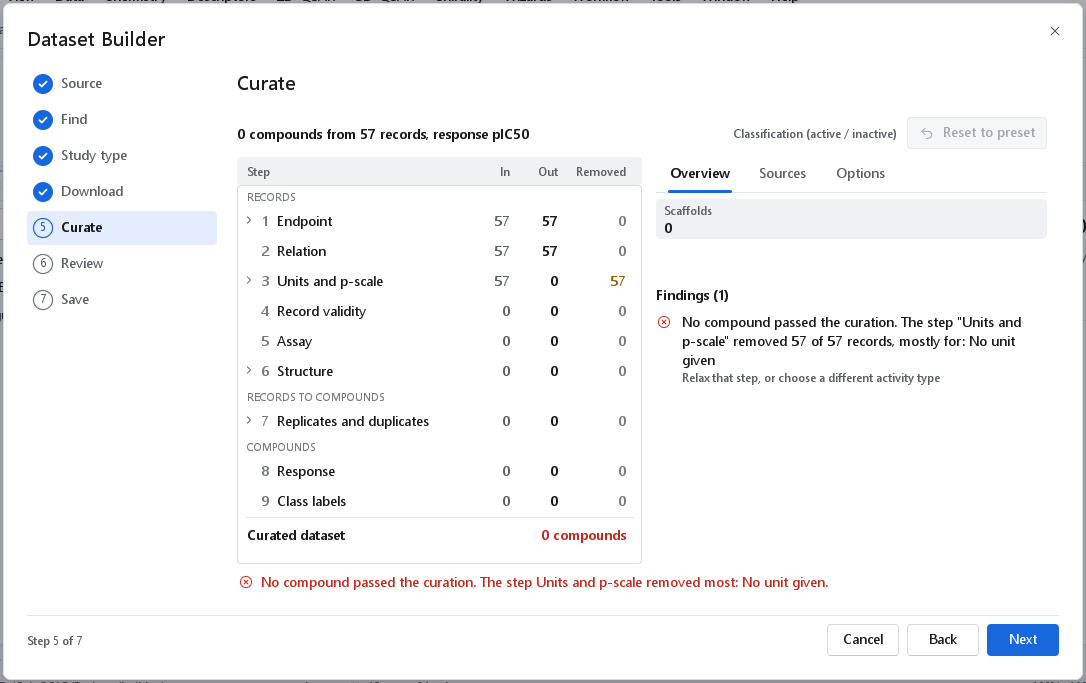
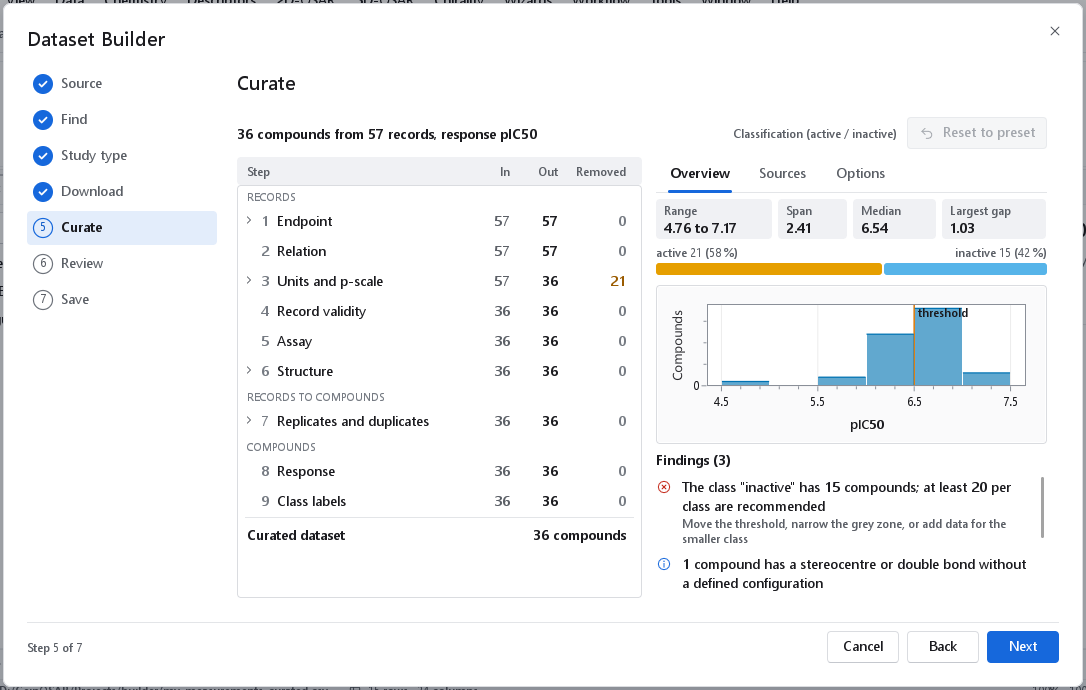
When the chosen readout was deposited without a unit, a field Unit of the values appears, set to (not stated), with the warning No unit was deposited: choose the unit the assay states. Take the unit from the assay description on PubChem. The pipeline never guesses a unit: without one, every value is removed at the step Units and p-scale.
Assays with rows on several targets
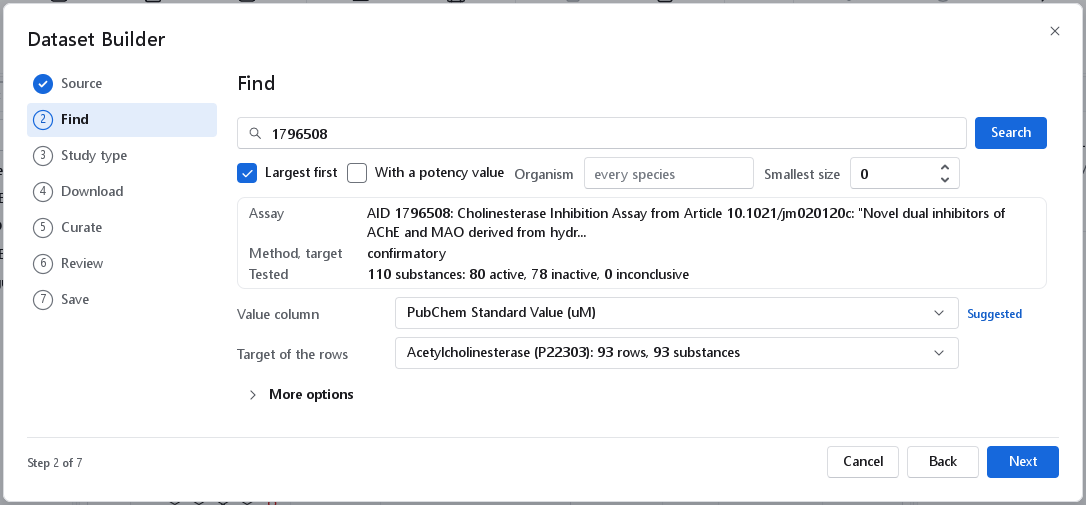
Some PubChem assays, mostly those deposited by BindingDB, hold results on several proteins in one table, one row per result: an assay named after a cholinesterase study can hold rows on acetylcholinesterase, on both monoamine oxidases and on a carboxylesterase. Results on different proteins are different experiments and are never pooled. For such an assay the page shows Target of the rows with every target of the table, its rows and its substances. Choose one, and only its rows are downloaded; nothing is chosen for you, and Next is refused with the number of targets until you choose. For a very large table the rows are counted on its first substances, and the tooltip says so.
More options
| Option | Choices | When to use it |
|---|---|---|
| Download | Every outcome (default), Active only, Active and inactive | A screening assay can hold several hundred thousand substances, nearly all inactive. Active and inactive leaves out the inconclusive ones. |
| Structures | PubChem compound record (default), Depositor's SMILES | The compound record is the structure PubChem standardised. Use the depositor's SMILES when you need the structure exactly as deposited. |
| Record limit | 0 (every record) | A first look at a screening assay. A limit takes the first substances in the table's order. |
PubChem refuses a data table of more than 10,000 substances in one request, so a large assay is read in batches; the first 12,000 substances of a screening assay with 364,105 took 11 requests and 42 seconds including curation. A complete download of an assay of that size has not been measured: use the outcome filter and a record limit for such assays.
Classification by outcome
A PubChem assay can be labelled by its depositor's outcome rather than by a threshold: choose Classification and tick Labels from the depositor's outcome on the Study type page. Active and probe outcomes give active, inactive gives inactive, and a compound whose records say both is removed as conflicting. A compound whose outcome is inconclusive gets no class and is removed with Class cannot be determined.
PubChem compounds
This source looks up the structures of a list of compounds and gives a structure-only dataset, for a screening library to be predicted with a model you have built. The page is titled Compounds.
- Choose what The list holds: Names, CIDs, SMILES or InChIKeys. Nothing is pre-chosen.
- Enter the Identifiers, separated by semicolons. CIDs, SMILES and InChIKeys may also be separated by spaces or commas, so a pasted column of them works. Names may not, because a name can contain both (2,4-dinitrophenol, acetyl salicylic acid): read a column of names from a text file with Load list, one name per line.
- The table below shows the identifiers as they are read, with their count.
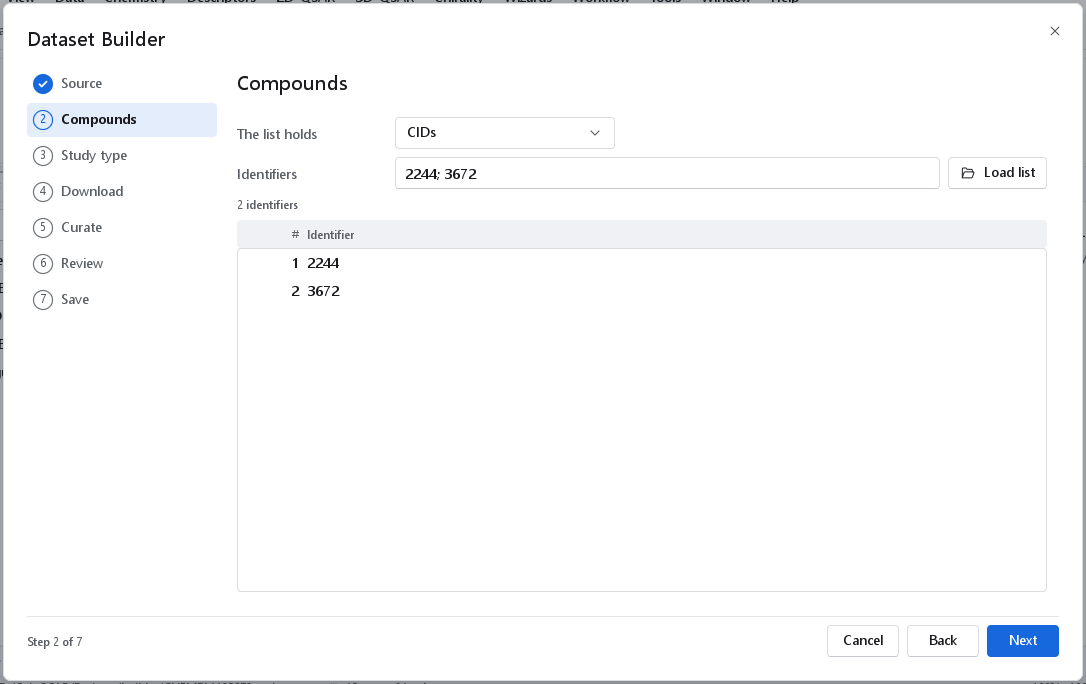
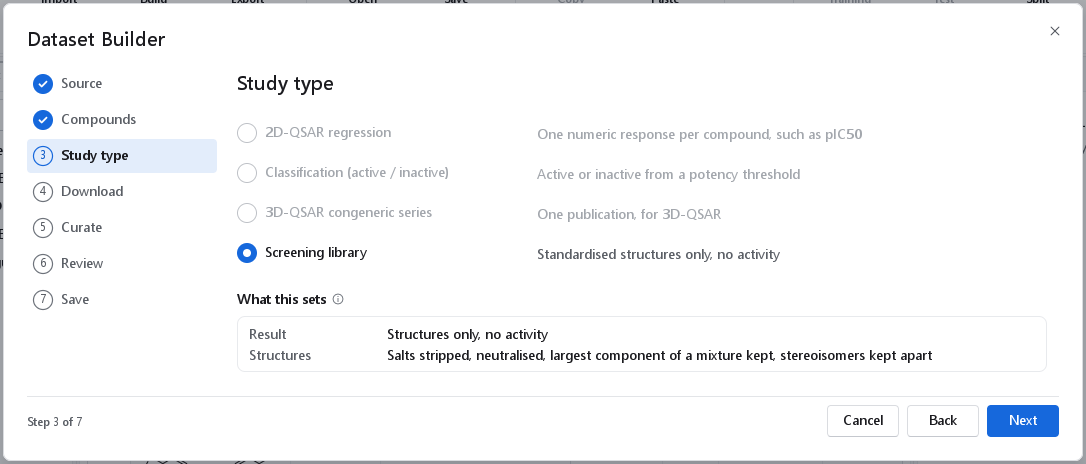
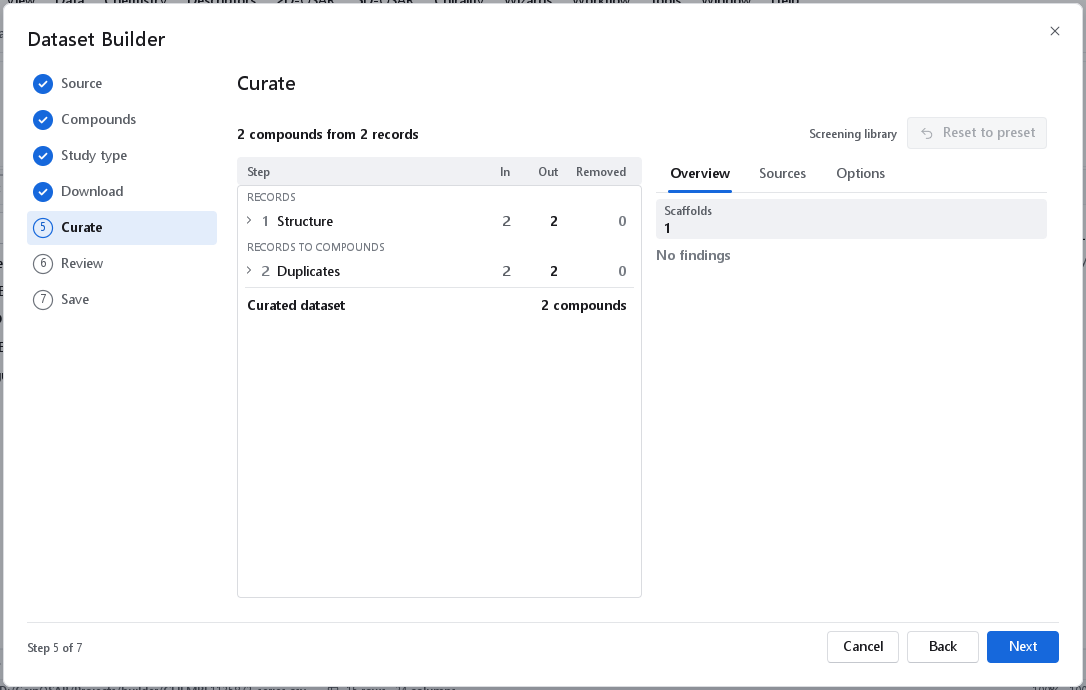
2244; 3672, read as two identifiers. The table lists them as the wizard parsed them, which is the check that the separators were understood.Only Screening library is offered on the Study type page, because the records hold no measurements. The curation then has two steps: Structure, which standardises each structure and keeps the largest component of a mixture, and Duplicates, which merges records with the same standardised structure. Identifiers PubChem does not know are named in the notes of the download, so that you can correct the list.
My own file
Your own table of structures and measured values passes through the same curation as the public data. The page is titled File, the Download page Read.
- A CSV or TSV table, including one exported from a spreadsheet with semicolons as separators and decimal commas, or with the Windows-1252 encoding.
- An SD file: the structure is the connection table and the columns are the data fields; the identifier defaults to the molecule title.
- Spreadsheet workbooks (
.xlsx,.xls,.ods) are refused with what to do instead: save the sheet as CSV and choose that file.
Choose the file with Browse, or type or paste the path and press Enter. The wizard reads the columns and the first rows, recognises the columns by their names (smiles, id, IC50 (nM), pKi, relation, unit, assay, reference) and tags the mapping Suggested until you change it. Check the mapping against the preview of the first rows.
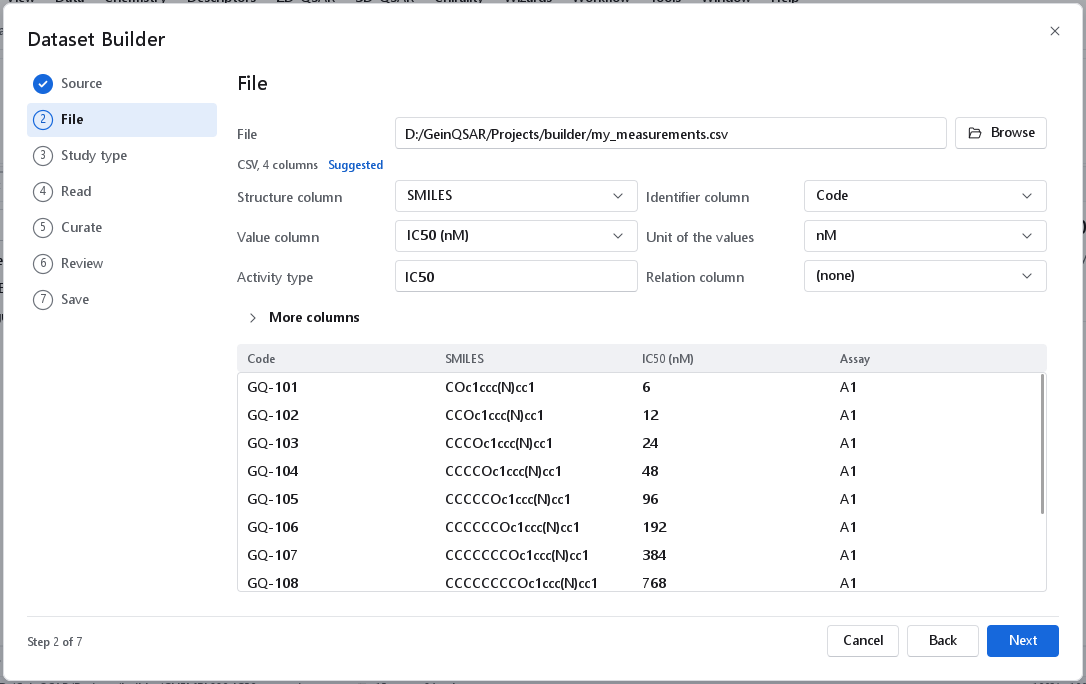
| Field | What it is |
|---|---|
| Structure column | The column with the SMILES of each compound. For an SD file this is the connection table. |
| Identifier column | The column that names each compound. With (none), the row number is used. |
| Value column | The measured activity. Cells such as > 10, 12 nM, 1,5 or 1.2E-6 are understood: the relation and the unit are split off when the file has no column for them. Empty cells and placeholders (NA, n.d., -, inactive) give a record without a value, which the curation removes with its reason. With (none) the file is read as structures only. |
| Unit of the values | The unit when the file has no unit column: nM, uM, mM, M, pM, ug/mL, or p-scale, -log10(M) when the values already are pIC50 or pKi. |
| Activity type | What was measured, for example IC50, when the file has no type column. It names the response: IC50 gives pIC50. |
| Relation column | A column that holds =, < or > for each value. With (none) a relation written in the value cell is used, and a value without one is exact. |
| More columns | Name column, Unit column (takes precedence over the unit above), Type column, Assay column, Reference column and Year column. The assay and reference columns let the Assay step and the Sources tab work as for public data. |
A column the file does not have is refused by name. A file without a value column offers only Screening library; values in µg/mL need Convert mass concentrations under 3 Units.
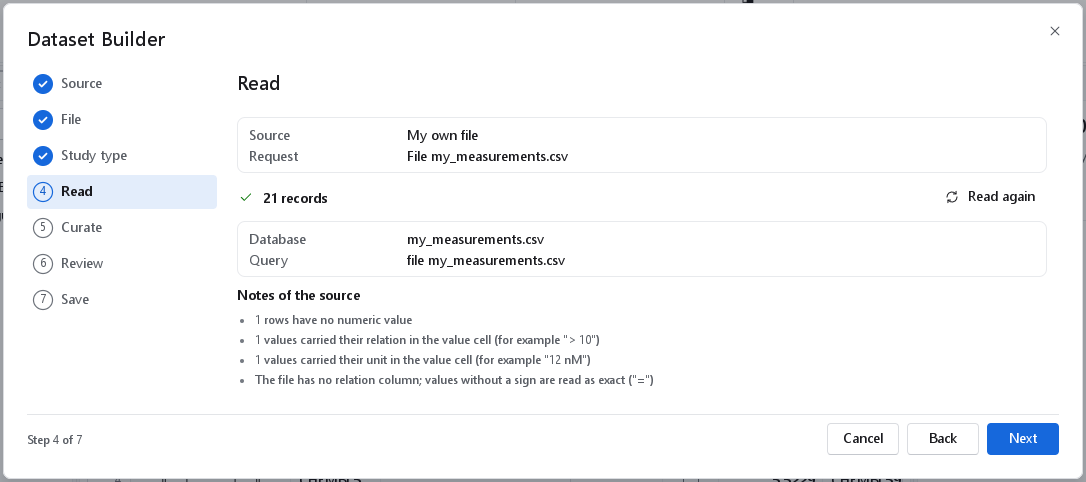
> 10), one with its unit in the cell (12 nM), and no relation column.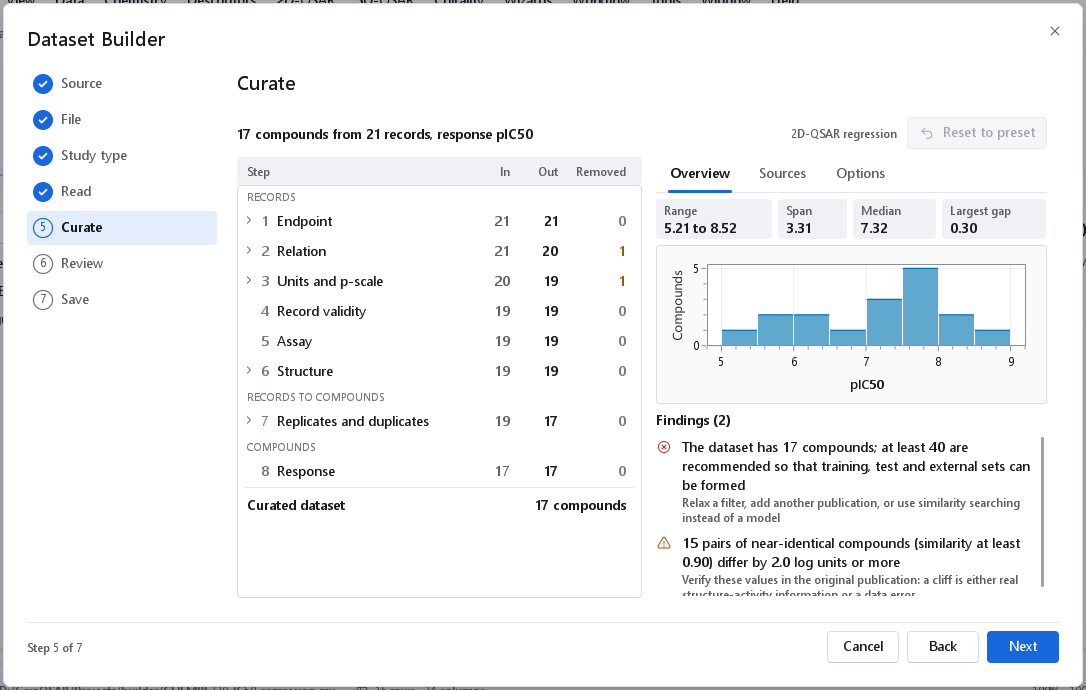
Previous download
Every save writes a raw snapshot, name.raw.json, with the records exactly as they were retrieved. The source Previous download opens it and curates the same records again with other settings, without a network connection. The page is titled Snapshot; enter the path or use Browse. The release and the query of the original download come with the records, and the new name is suggested as name_recurated in the folder of the snapshot.
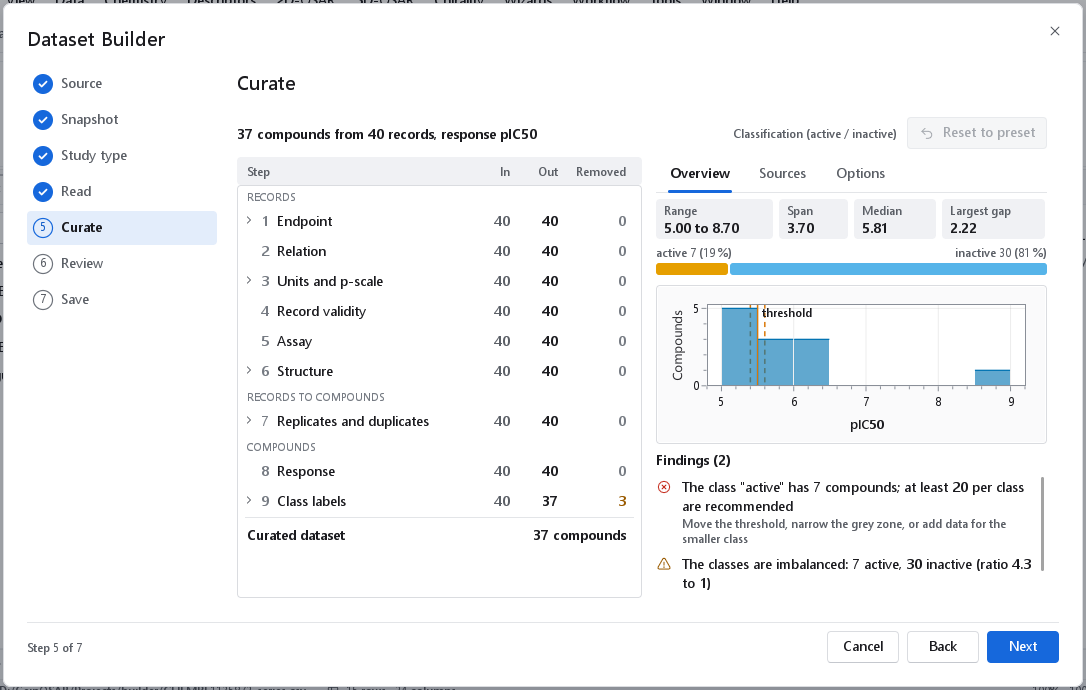
Use this to try a different study type, threshold or filter on data you have already examined. To regenerate the original dataset exactly, use replay instead.
Working offline and the cache
Answers of ChEMBL and PubChem are kept in a local cache in %APPDATA%\Geinforce\GeinQSAR\http-cache, so a repeated download is fast and the notes of the Download page say how many requests the cache answered. Activity pages are stored under the ChEMBL release they belong to, so pages of an older release are never mixed with those of the current one: after a new release the data are fetched again. Search results and counts are not tied to a release and are asked for again after 30 days.
The dependable way to work without a connection is the raw snapshot: Previous download and Data > Replay a provenance file never touch the network. A proxy that asks for a user name and password is not supported.
When something goes wrong
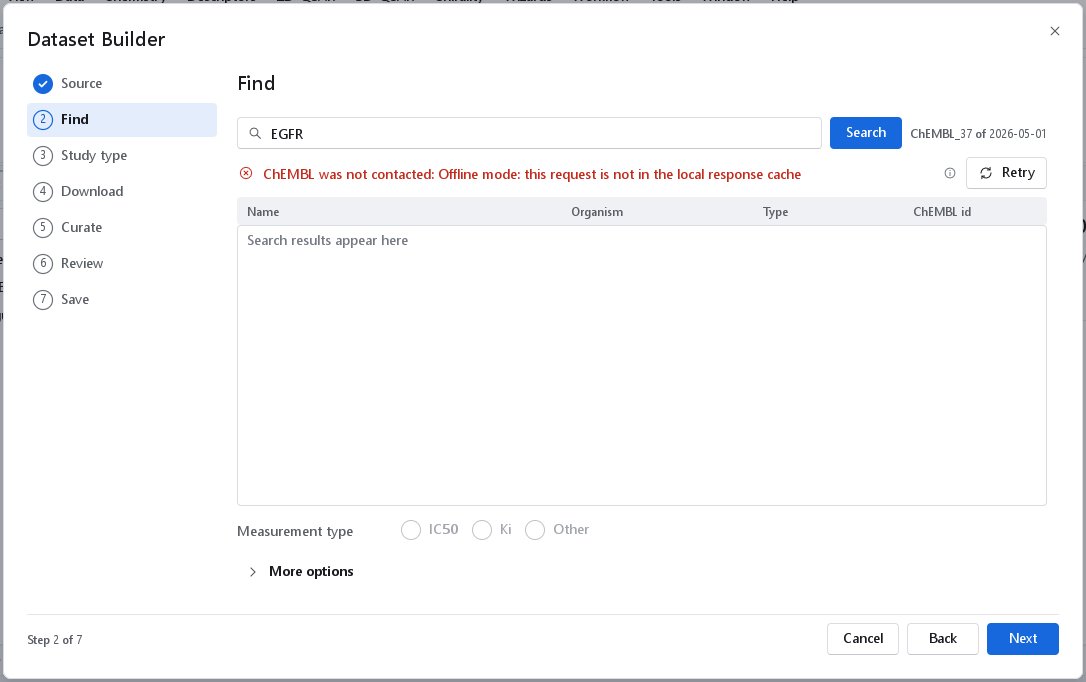
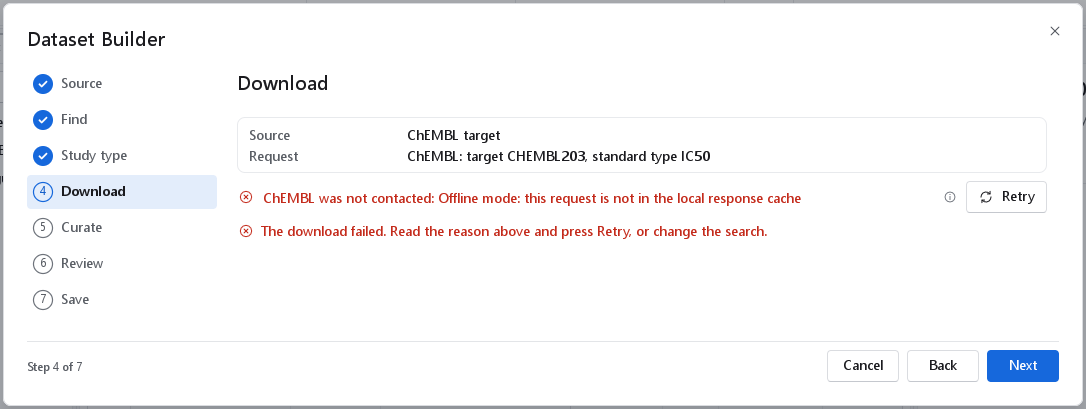
A request that fails shows the message of the service in red with Retry, and a help mark beside it that says what that kind of failure usually means. Nothing is left half done: a failed search lists nothing, and a failed download creates no dataset and is not repeated by itself.
| Message | Meaning | What to do |
|---|---|---|
| ChEMBL could not be reached | No connection, or a proxy blocks it. | Check the connection and press Retry. Records downloaded earlier are read from the cache. |
| ChEMBL did not answer in time | The service is slow or busy. | Retry in a moment. |
| The service reported an error or is limiting requests (help mark) | A server error, or the service is throttling. | Retry in a moment. |
| ChEMBL has no target CHEMBL123, PubChem has no assay AID ... | The identifier does not exist. | Check the spelling, or search by name. |
| ChEMBL was not contacted: Offline mode: this request is not in the local response cache | The request was to be answered from the cache, and the cache does not hold it. | Connect and retry, or work from a snapshot. |
| The source returned no records | The target has no measurement of the requested type. | Choose another type. |
| No compound passed the curation | The message names the step that removed most and why. | Change that step under Options; see Curation, review and saving. |
Data sources and terms
ChEMBL is provided by EMBL-EBI under the CC BY-SA 3.0 licence; a dataset built from it must name the ChEMBL release, which the provenance file and the report record. PubChem is a public-domain resource of the U.S. National Library of Medicine; individual depositors may state their own terms. The builder identifies itself to both services as GeinQSAR/1.0 and stays below their request limits; when PubChem reports itself busy, requests are spaced 1.1 seconds apart.