Building a dataset from ChEMBL
The Dataset Builder turns published measurements into a dataset that is ready for modelling. This page opens it, walks through the first four of its seven pages with a ChEMBL target, and explains what each study type sets and why.
A QSAR model is only as good as the measurements it is fitted to. Public bioactivity data are plentiful but uneven: the same compound appears in several papers with values that disagree, some values are only limits ("greater than 10 µM"), some are on mutant proteins, some carry database error flags, and the structures arrive as salts, mixtures or charged forms. The curation literature (Fourches et al. 2010 and 2016, Tropsha 2010, Kramer et al. 2012, Kalliokoski et al. 2013) describes what to do about each of these. The Dataset Builder applies that practice for you, shows how many records every rule removed and why, and writes the result together with a record of how it was made.
You do not need to know how to prepare a dataset to use it. You choose where the data come from and what kind of study they are for; the wizard chooses coherent settings, and every one of them stays visible and editable.
Opening the wizard
- File > Build a dataset or Data > Build a dataset.
- The Build button in the Dataset group of the Home ribbon tab.
- Build a dataset on the welcome page.
- The Build button next to Sample data on the data page of a modelling wizard (its tooltip reads Build a dataset from ChEMBL or PubChem). The builder opens on top and the modelling wizard stays open underneath.
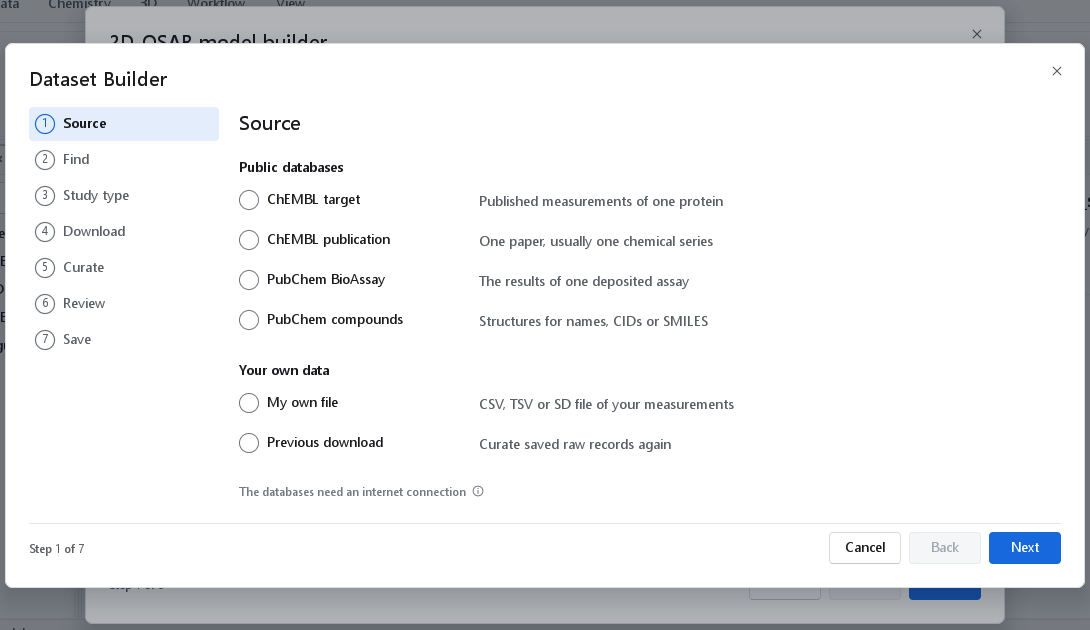
The seven pages
The wizard has seven pages, listed down the left side. Next is refused while a page is incomplete, and the reason appears in red at the foot of the page, for example Search for a target and select it in the list or Choose the measurement type. Nothing is chosen for you: a new wizard has no source, no target, no measurement type and no study type.
| Page | What happens there |
|---|---|
| 1 Source | Where the data come from: a ChEMBL target or publication, a PubChem assay or compound list, your own file, or a previous download. |
| 2 Find | Finding the data in that source. The page is titled Publication, Compounds, File or Snapshot for the other sources. |
| 3 Study type | What the dataset is for. One choice sets every curation step. |
| 4 Download | The records are fetched. For your own file and a previous download the page is titled Read. |
| 5 Curate | The curation funnel, its findings and every option. See Curation, review and saving. |
| 6 Review | The curated table with structures, and every removed record. |
| 7 Save | The files, and the way on into a modelling wizard. |
Cancel leaves the wizard without writing anything. While a download runs, and as long as the wizard holds downloaded records, Esc does not close it, so a download of several minutes is not lost to a stray key. On the last page the forward button reads Close, and it is refused until the dataset has been saved.
The Source page
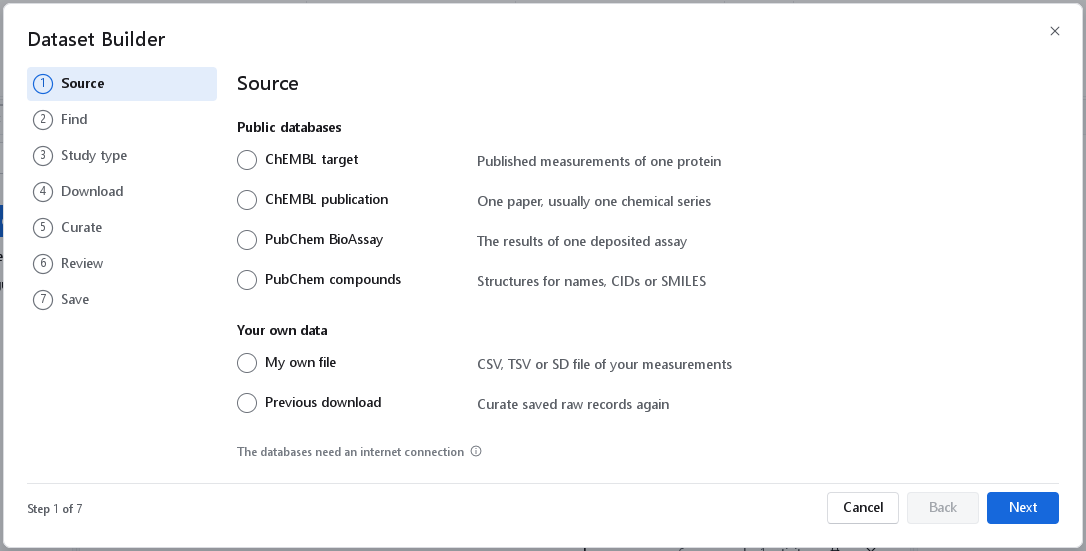
| Source | Use it when | You need |
|---|---|---|
| ChEMBL target | You want the published measurements of one protein. The usual start for a 2D-QSAR regression or a classification. | A protein name, a gene symbol, a UniProt accession or a ChEMBL identifier |
| ChEMBL publication | You want one paper, which is usually one chemical series measured in one laboratory. The usual start for 3D-QSAR. | The ChEMBL document identifier, for example CHEMBL1135872 |
| PubChem BioAssay | You want the results of one deposited assay, including screening assays with active and inactive outcomes. | A gene symbol, a protein accession, or the AID of the assay |
| PubChem compounds | You have a list of compounds and need their standardised structures, for a screening library to predict. | Names, CIDs, SMILES or InChIKeys |
| My own file | You have your own table of structures and measured values. | A CSV or TSV table, or an SD file |
| Previous download | You want to curate records you downloaded before with other settings, without a network. | The name.raw.json file a previous build wrote |
Hover over a source for a longer description. This page covers the ChEMBL target; the other five sources are described in PubChem, files and other sources.
Finding a ChEMBL target
- Type into the search box and press Search or Enter. A name (
acetylcholinesterase), a gene symbol (EGFR), a UniProt accession (P00533) and a ChEMBL identifier (CHEMBL203) are all accepted; what the text is, is recognised automatically. Up to 25 targets are listed. - Select the row you mean. Check the Organism column: a search for acetylcholinesterase lists the human enzyme together with those of mouse, rat, cattle, insects, the electric ray and the electric eel, and the measurements of each are a different dataset. The tooltip of a row gives its gene symbols, its UniProt accessions and what the search matched.
- Choose the Measurement type. When a row is selected, the wizard asks ChEMBL in the background how many measurements it holds for that target, in total and for each type, and writes the counts into the choices.
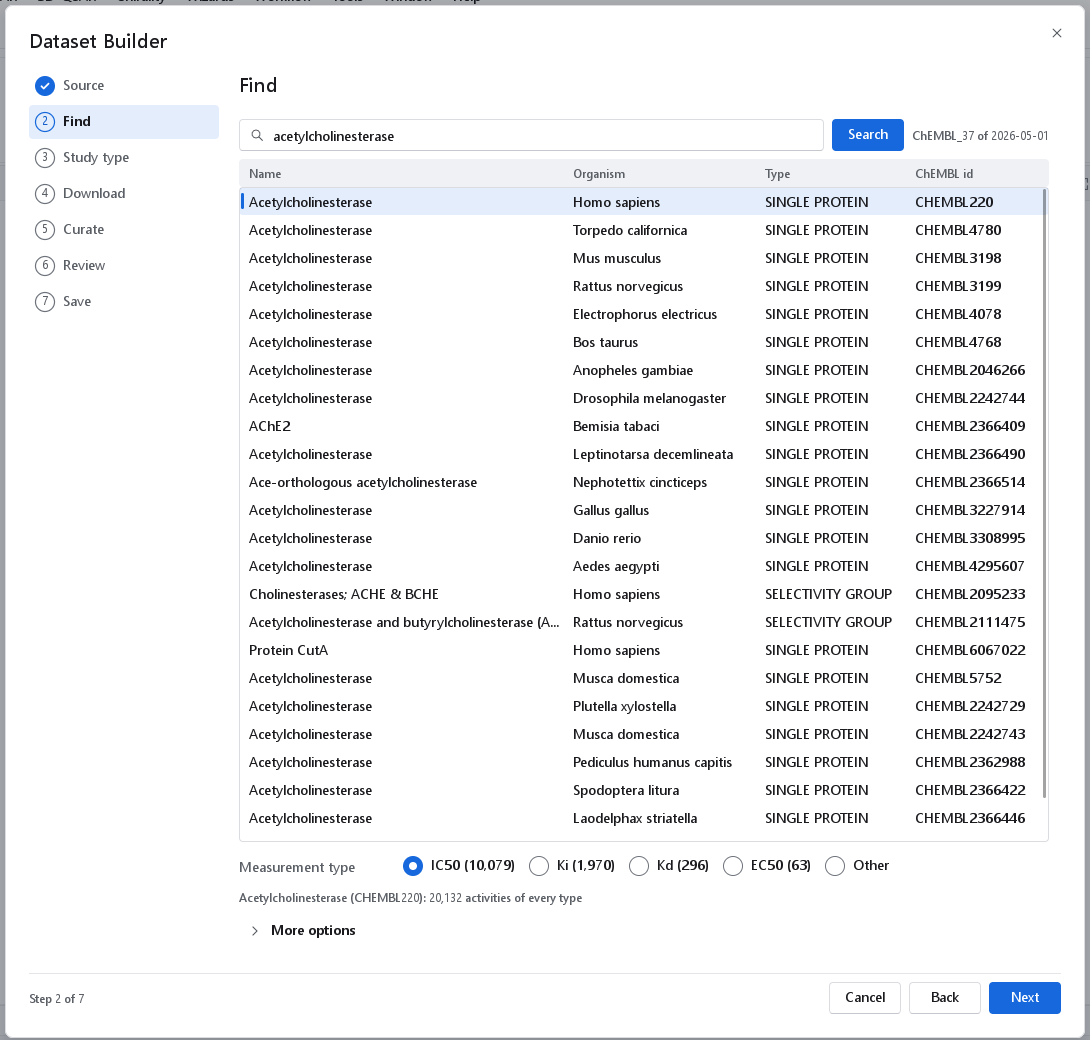
acetylcholinesterase. The human enzyme (CHEMBL220) is selected, and the measurement types carry the counts ChEMBL holds for it: IC50 10,079, Ki 1,970, Kd 296, EC50 63. The line below gives the total of every type (20,132), and the label beside Search names the ChEMBL release the records come from.The measurement type
The choices are IC50, Ki, Kd, EC50 and Other. Other opens a small field for any other ChEMBL standard type, for example Potency, AC50 or ED50. The type with the most measurements is normally the one to model. One dataset holds one type, because an IC50 depends on the assay conditions (substrate concentration, enzyme concentration) while a Ki does not; public pKi values are on average 0.355 log units above the pIC50 values of the same compound and target (Kalliokoski et al. 2013). The counts are asked for only for the row you select, because each is a separate request that takes ChEMBL a few seconds to answer.
Sorting the list
Click a column heading to sort the list by that column: once for ascending, a second time for descending, a third time for the order of the search again. The heading shows the direction. The selected row stays selected wherever it moves, and a new search clears the selection.
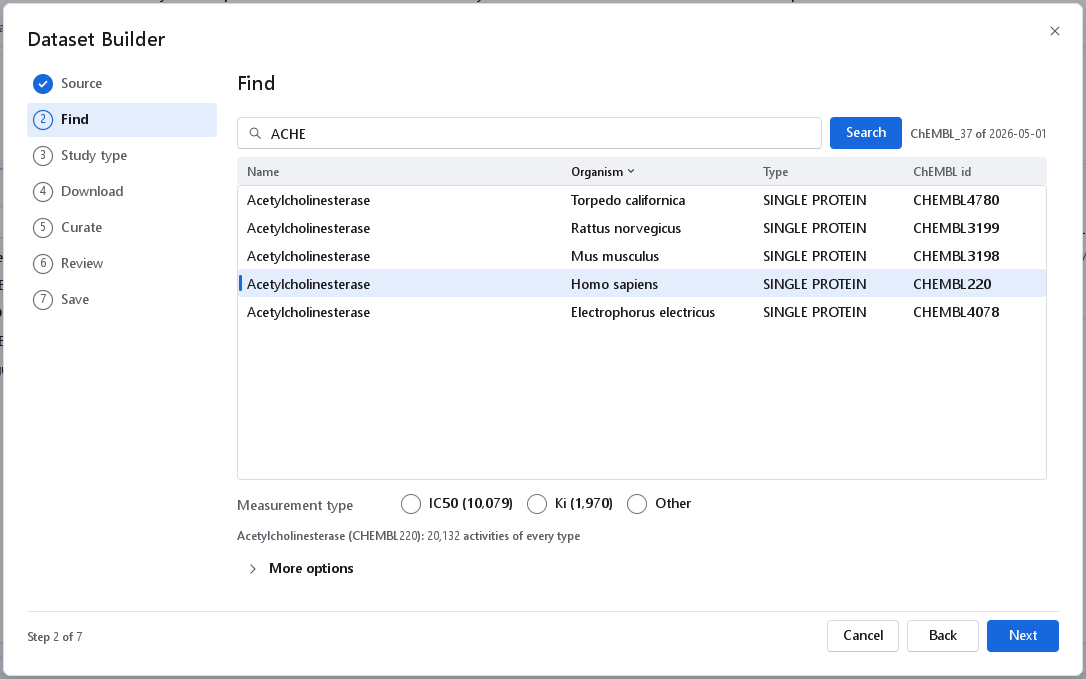
More options
| Option | What it does | When to use it |
|---|---|---|
| Organism | Lists only targets of this organism, for example Homo sapiens. Applies to the next search. | When a common name returns many species and you know which one you want. |
| Publication id | Downloads only the measurements one publication reports for this target, by its ChEMBL document identifier. Empty downloads every publication. | When you want one series on this target. For a whole paper on any target, use the source ChEMBL publication instead. |
| Record limit | Stops after this many records. 0, the default, downloads every record. | For a first look at a very large target. A dataset for modelling needs every record: a limit takes the first pages in ChEMBL's order, not a representative sample. |
Choosing the study type
The study type is the one decision the wizard cannot make for you. It sets every curation step coherently, and the card What this sets lists the settings that will really run (result, values kept, replicates, assays, flagged values and structures). Every setting can be changed afterwards on the Curate page, where each option names the publication it follows.
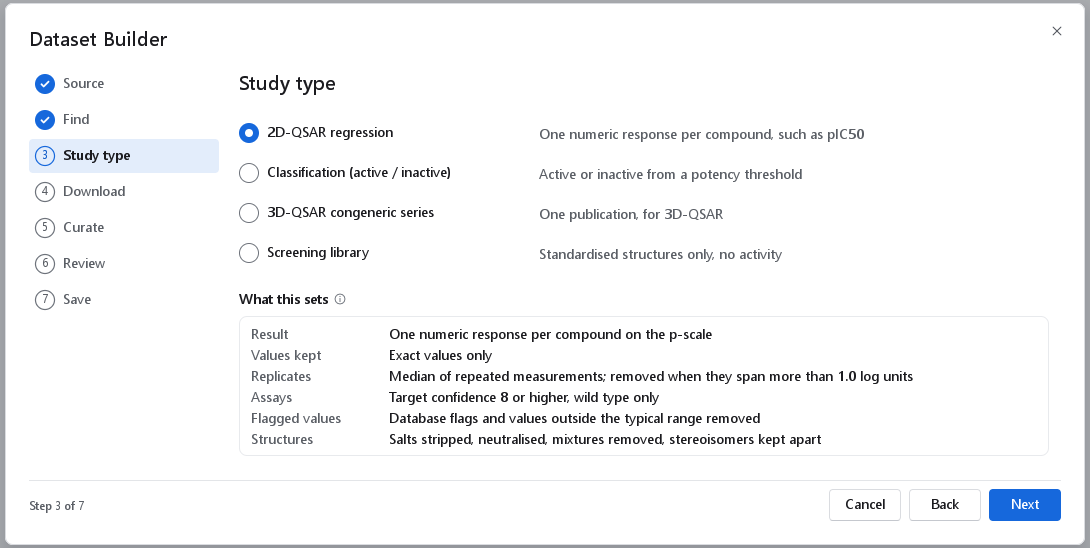
| Study type | Use it for | What it sets | Why |
|---|---|---|---|
| 2D-QSAR regression | Predicting a potency such as pIC50 with a 2D model. | Exact measurements of one activity type on the wild-type target, converted to -log10(mol/L). Database error flags, repeat citations and values outside the typical range removed. Replicates pooled by their median; compounds whose measurements span more than one log unit removed. | A value reported as greater-than or less-than has no defined p-value. Independent public measurements of one compound differ with a standard deviation of 0.54 log units for pKi (Kramer et al. 2012) and 0.68 for pIC50 (Kalliokoski et al. 2013), so replicates that disagree by more than that are removed rather than averaged (Fourches et al. 2010). |
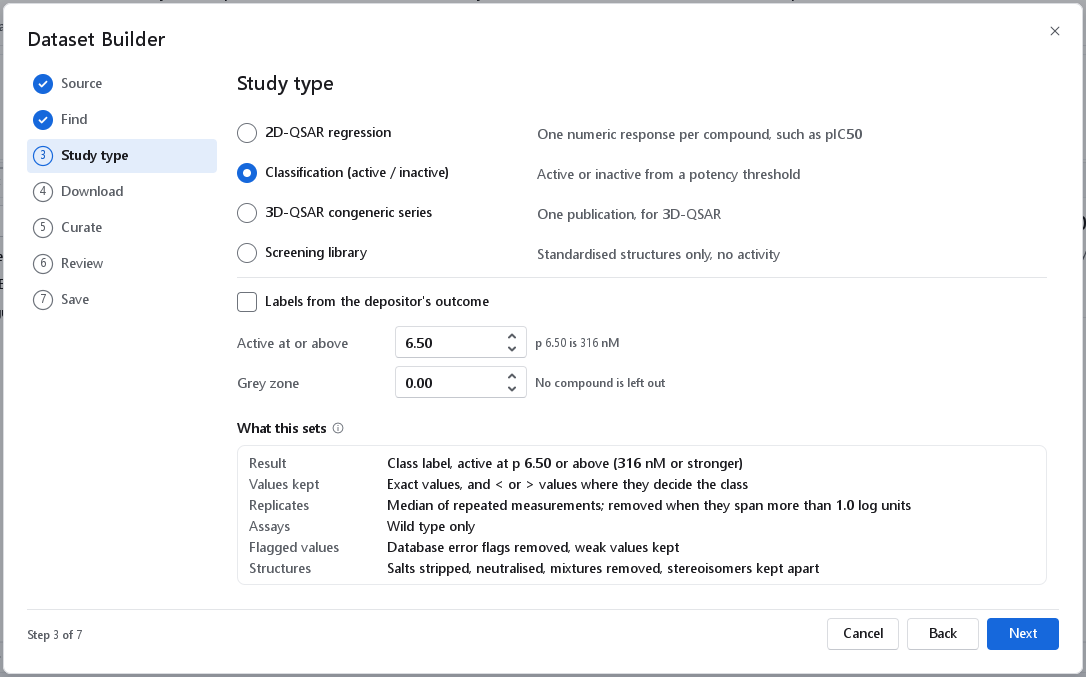
| Classification (active / inactive) | Separating actives from inactives. | A class label per compound from a potency threshold. Greater-than and less-than values kept where they decide the class. Weak values flagged outside the typical range kept. | A weak or censored value is exactly the evidence that a compound is inactive: > 10 µM is inactive at a 1 µM threshold. At least 20 compounds per class are recommended (Tropsha 2010). |
| 3D-QSAR congeneric series | One publication, for 3D-QSAR. | As for regression, restricted to one publication. Stereochemistry kept; undefined stereocentres reported; checks of series size, activity span and coverage of the range. | 3D-QSAR aligns the molecules on a common core, so assay-to-assay differences would be modelled as structure effects; the series must come from one protocol. A training series needs 15 to 20 molecules at least (Ragno et al. 2020). |
| Screening library | Preparing compounds to predict. | Standardised structures only, no activity steps. The largest component of a mixture kept; duplicates merged; no outlier or cliff flags. | Compounds to be predicted need the same standardisation as the training set, and a purchasable entry should survive as its parent structure (Fourches et al. 2010). |
For a ChEMBL target the smallest target confidence score follows the type of the selected target: 8 for a single protein, 6 for a protein complex, a complex group, a chimeric protein or a protein-protein interaction, 4 for a protein family or a selectivity group, and no filter for other target types. A protein complex never reaches the score 8 of a single protein, so a fixed threshold would remove all of its records. A study type that the source cannot feed is shown greyed: a list of compounds without measurements offers only Screening library.
The classification threshold
For a classification the page asks for the threshold, which is the one thing a preset cannot know. Active at or above is a p-value from 0 to 15, by default 6; a compound is active when its pIC50 or pKi is at least that. 6 means 1 µM, 5 means 10 µM, 7 means 100 nM, and the line beside the field converts the value you type. Grey zone is the half-width, from 0 to 3 log units, of a band around the threshold whose compounds are left out, because a value that close to the cut cannot be assigned reliably given a measurement error of 0.5 to 0.7 log units (Kramer et al. 2012; Kalliokoski et al. 2013). For a PubChem assay a check box Labels from the depositor's outcome takes the active and inactive outcome the depositor assigned instead of a threshold.
The Download page
The download starts by itself when the page opens. The card at the top repeats the request, for example ChEMBL: target CHEMBL220, standard type IC50, and for a ChEMBL target it gives the expected number of records and the time they will take. ChEMBL delivers about 1000 records in 8 to 10 seconds, so a large target takes minutes: the 10,079 IC50 records of the human acetylcholinesterase took from under one and a half to four and a half minutes in different runs, and the 26,600 of EGFR seven and a half. The bar and the line under it show the progress, for example Downloaded 2000 of 4470 activities, and the window stays responsive meanwhile.
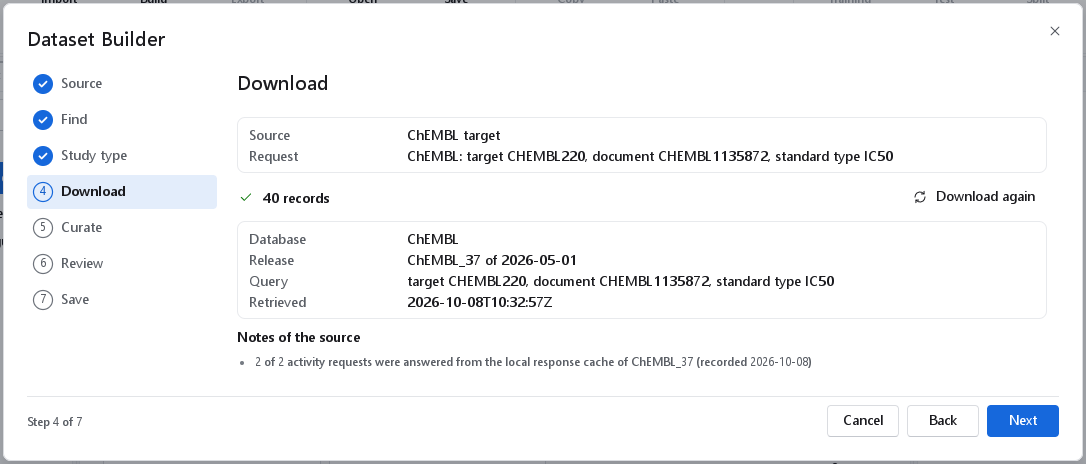
Cancel on the progress row stops at once and keeps nothing: there is never a partial dataset. A cancelled or failed download is started again with its button, never by itself, so the wizard does not keep retrying a service that is down. A failed download shows the message of the service with Retry.
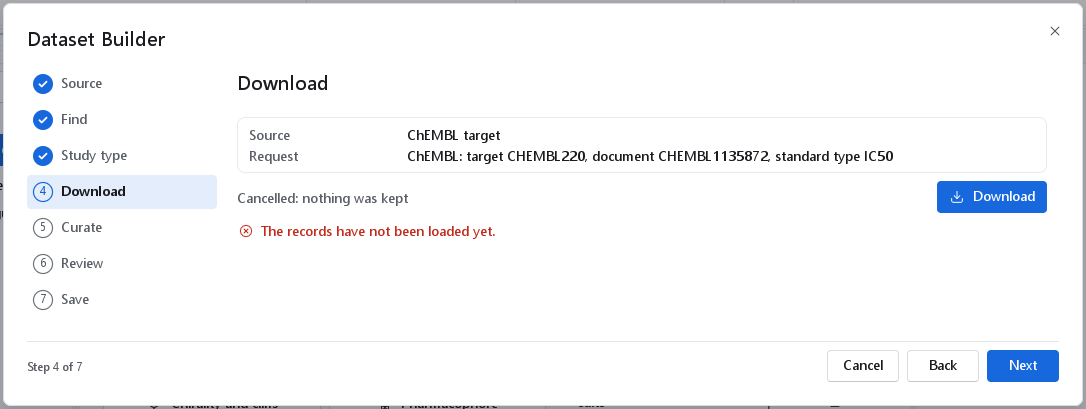
Afterwards the page shows the number of records with Download again, the database and its release, the query, the time of retrieval and the notes of the source, for example how many rows had no structure, how many requests came from the cache, or that a PubChem readout carries no unit. The release matters: ChEMBL changes between releases, and a dataset built from it must name the release it came from. It is written into the provenance file and the report.
If you go back and change the target, the type or a More option, the records no longer match the request. Arriving on the Download page again starts the new download; the Curate page refuses with The choices changed since the records were loaded: load them again until it has run.