Preparing the data
Standardising structures, finding duplicates, converting concentrations to a p-scale, looking at the distribution of the activity, designing the training and test sets, and exporting the result.
Most of the error in a QSAR model comes from the data, not from the method. The tools on this page are the checks worth making before any model is fitted. They are in the Data and Chemistry menus and on the Data tab of the ribbon. Each opens a dialog that collects its options and changes nothing until you press its button; anything that takes longer than a moment runs in the background and appears in the Jobs panel.
The 2D-QSAR wizard repeats several of these steps inside its workflow (curation, the split), where they are recorded and can be rerun; doing them here first shows you what the data look like.
A suggested order
- Standardize structures, so that the same compound is written the same way.
- Find duplicates, which only finds them reliably after standardisation.
- Convert activity to a p-scale, if the activity is a concentration.
- Column statistics of the activity, to confirm that the range is wide enough to model.
- Compute descriptors (Molecular descriptors).
- Training/test split.
- 2D-QSAR > Check dataset readiness.
Standardising structures
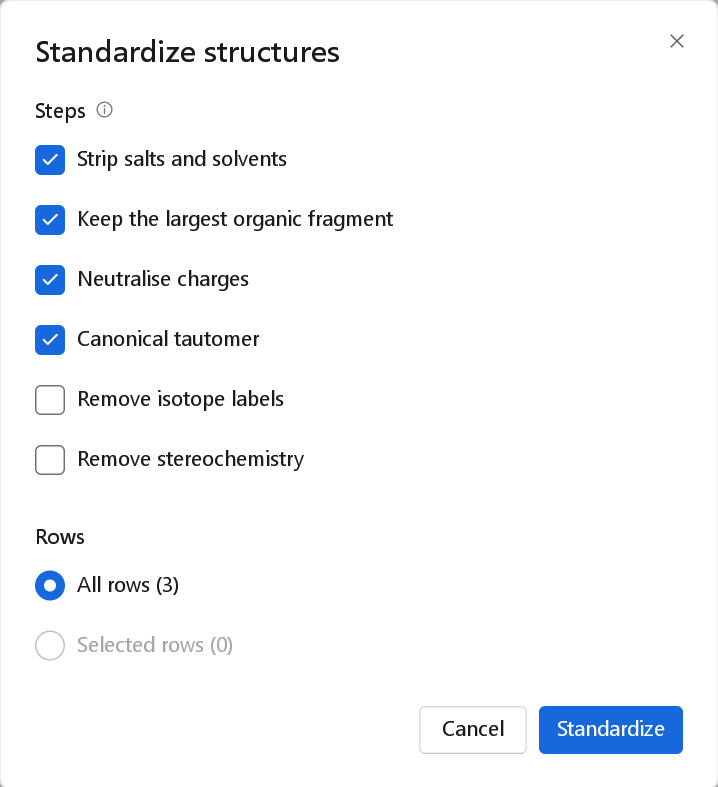
Chemistry > Standardize structures rewrites the structures in place, following the curation procedure of Fourches, Muratov and Tropsha (J. Chem. Inf. Model. 50, 1189, 2010). The steps run in the order listed; in every case metal bonds are disconnected and functional groups are drawn in one resonance form.
| Step | Default | Effect and when to change it |
|---|---|---|
| Strip salts and solvents | On | Removes counter-ions and solvent molecules: the sodium of a sodium salt, the HCl of a hydrochloride, water of crystallisation. |
| Keep the largest organic fragment | On | Of what remains, keeps the largest organic part. Untick it only for deliberate mixtures. |
| Neutralise charges | On | Protonates or deprotonates charged groups to the neutral form, so that a carboxylate and its acid are one compound. |
| Canonical tautomer | On | Writes one tautomer for each compound, so that a 2-hydroxypyridine and its pyridone count as the same structure. |
| Remove isotope labels | Off | Tick it when deuterated or labelled analogues should count as their parent. |
| Remove stereochemistry | Off | Tick it only when stereochemistry is unreliable in the source and a 2D model is intended. It discards information the chirality tools need. |
| Rows | All rows | Selected rows standardises only the selection, to try the steps on a few compounds first. |
The notification says how many structures changed and how many failed, for example "3 of 3 changed", and reminds you to recompute the descriptors if the dataset has any. The reasons for failures are in the log. Because the structures are overwritten, export or save the dataset first if you may want the original drawings back.
Finding duplicates
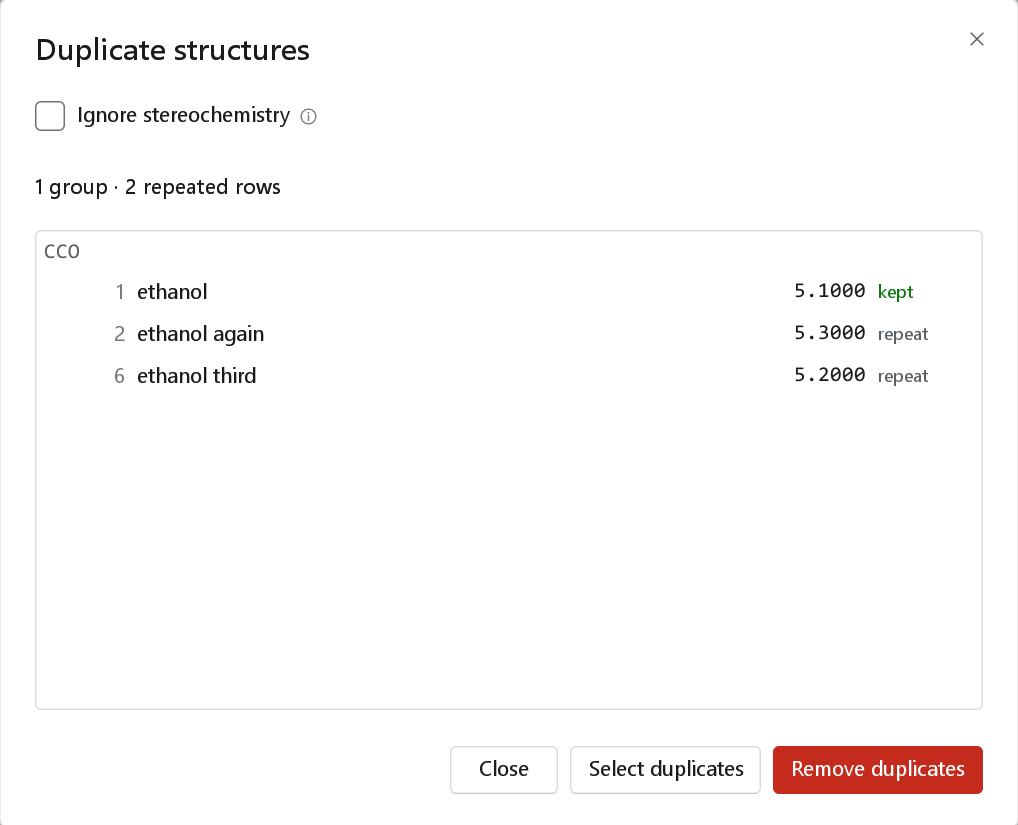
Data > Find duplicates compares the canonical SMILES of every row, with any explicit hydrogens of a 3D record folded away, and lists the groups of rows that hold the same compound. The search starts as soon as the dialog opens.
| Control | Effect |
|---|---|
| Ignore stereochemistry | Compares the structures without their stereo descriptors, so that enantiomers and E/Z isomers count as one compound. Leave it off when stereoisomers were measured separately; tick it to see how many such pairs the set holds. |
| List | Each group with its SMILES, then each row with its number, name, the value of the first activity column, and kept or repeat. The first row of a group in table order is kept. Rows without a structure are counted separately. |
| Select duplicates | Selects the repeated rows and closes the dialog, so you can look at them, flag them or exclude them. |
| Remove duplicates | Deletes the repeated rows, keeping the first of each group. |
Converting an activity to a p-scale
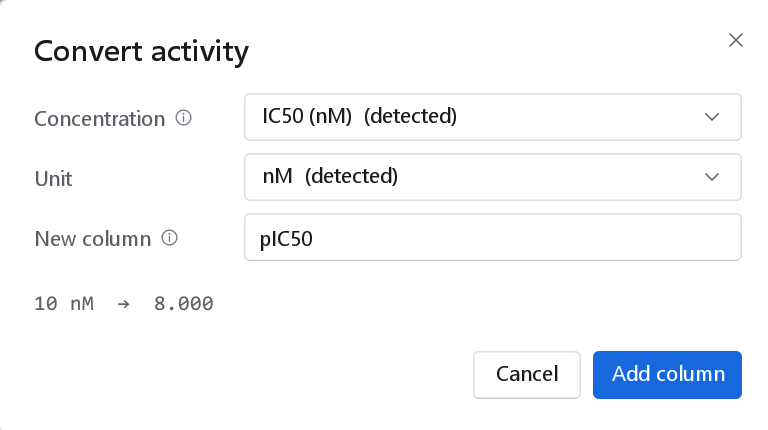
Data > Convert activity (p-scale on the Data tab) adds a column with -log10 of a molar concentration, the same conversion the import dialog offers. Use it when the file held IC50, EC50, Ki or Kd values in a concentration unit.
| Control | Meaning |
|---|---|
| Concentration | The measured column. The list holds the numeric activity and imported columns; one whose title or unit names a concentration is preselected and tagged (detected). |
| Unit | M, mM, µM, nM, pM or fM, read from the column's unit or title when possible. The line under the form converts the first value, which is the quickest check that the unit is right. |
| New column | Its name: pIC50, pEC50, pKi or pKd is suggested from the title of the source, otherwise pActivity. It must not exist yet. |
Add column creates an activity column with three decimals and the unit "log units", and its description records the source column and unit. Values that are missing, zero or negative stay empty. The measured column is kept.
Column statistics
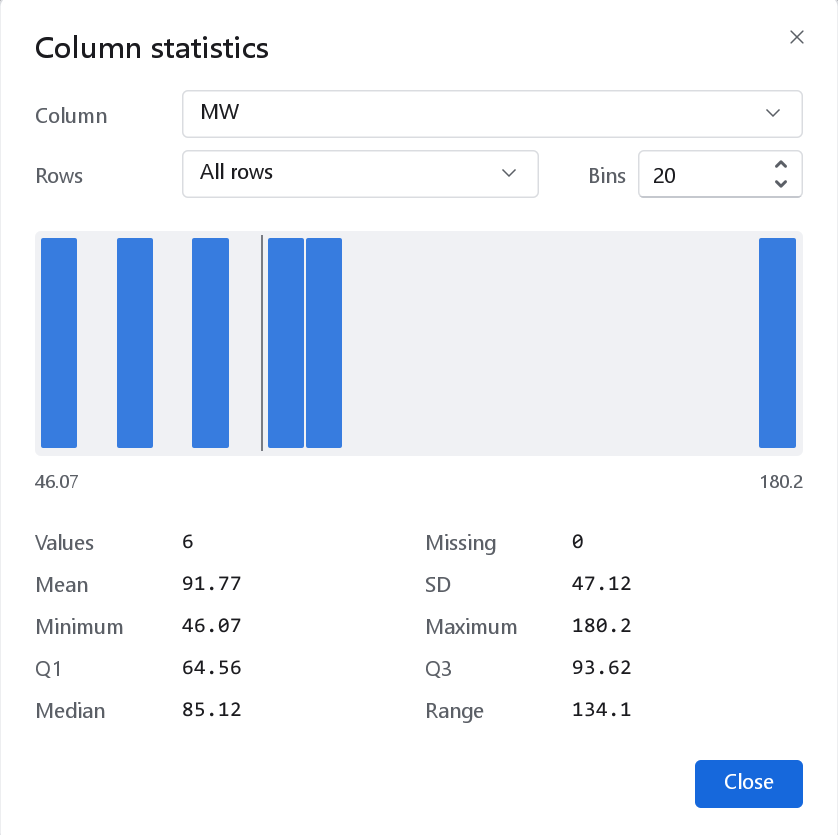
Data > Column statistics shows the distribution of one numeric column. Open it on the activity before modelling: a model can only learn the range it is given. As a rule of thumb, a regression model needs an activity that spans at least three log units with the values spread over the range, not two clusters at its ends.
| Control | Meaning |
|---|---|
| Column | Any numeric column. The dialog opens on the column clicked last. |
| Rows | All rows, Selected rows, Training set or Test set. Compare the training and test sets after a split: their ranges should be similar. |
| Bins | From 4 to 60 histogram bins, 20 by default. Fewer bins for small datasets. |
Designing the training and test sets
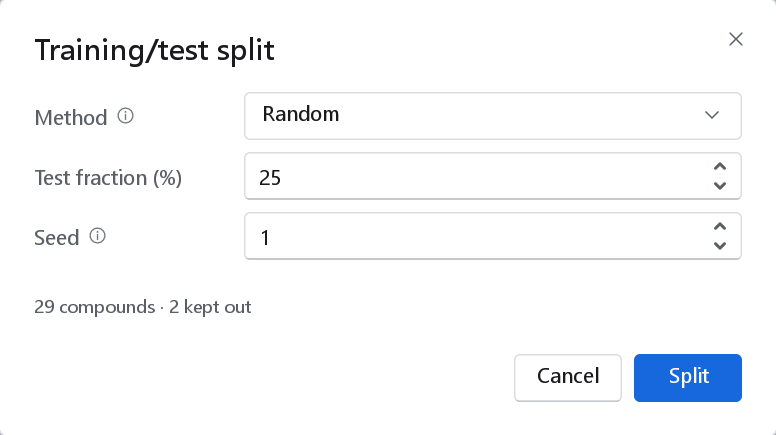
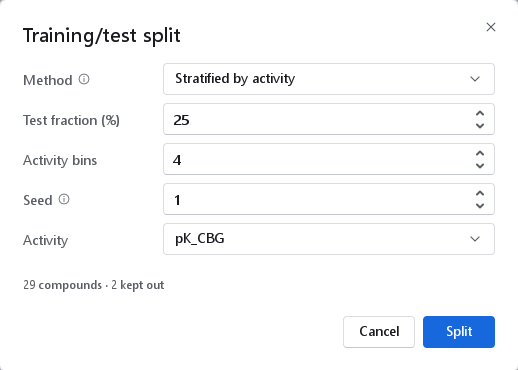
Data > Training/test split (Split on the Home and Data tabs) divides the dataset into a training set, on which the model is fitted, and a test set, on which it is judged. Compounds marked External or Excluded are never reassigned; the line under the form says how many compounds take part and how many are kept out.
| Method | How the test set is chosen | Needs | When to use it |
|---|---|---|---|
| Random | Shuffled with the seed. | Nothing | Large, evenly spread datasets; a quick first look. |
| Stratified by activity | Random inside equal-frequency bins of the activity, so that both sets cover the whole range. | An activity column | The usual choice for regression on a few hundred compounds or fewer. |
| Activity-sorted | Every n-th compound of the list sorted by activity; the most and least active stay in training. | An activity column | Small series, where the extremes must stay in training for the model to cover them. |
| Kennard-Stone | The training set is chosen by the max-min distance rule in descriptor space (Kennard and Stone, Technometrics 11, 137, 1969), so that it spans the space; the rest is the test set. | Descriptors | When the test set should lie inside the space of the training set. It tends to give optimistic test statistics. |
| Duplex | Both sets are chosen alternately by distance (Snee, Technometrics 19, 415, 1977), so that both span the space. | Descriptors | A test set as diverse as the training set. |
| Sphere exclusion | Probe spheres in descriptor space (Golbraikh et al., J. Comput.-Aided Mol. Des. 17, 241, 2003), starting from the most active compound. | Descriptors | A rational split with control over diversity. |
| Scaffold | Every compound's Bemis-Murcko scaffold is computed and each scaffold goes whole to the training set or to the test set (J. Med. Chem. 1996, 39, 2887), so no scaffold of the test set occurs in the training set. Scaffold order is Largest first, which trains on the common scaffolds, or Balanced random, which draws the test scaffolds with the seed; Generic scaffolds groups frameworks that differ only in atom types or bond orders. | Nothing | When a journal or a reviewer asks for a scaffold-disjoint test set, and as a stricter test of a model meant for a new chemical series. It is not a more honest internal estimate than a stratified random split: measured on 45 data sets it was closer to the external result on 21 of them, which is chance, and on a congeneric series a scaffold hold-out often cannot be formed at all. |
| Option | Range | Meaning |
|---|---|---|
| Test fraction (%) | 5 to 50, default 25 | The share of the taking-part compounds that become test compounds. 20 to 25 per cent is customary. |
| Test every | 2 to 10, default 4 | Activity-sorted only: every n-th compound is a test compound (4 gives 25 per cent). |
| Activity bins | 2 to 10, default 4 | Stratified only. More bins follow the distribution more closely but need more compounds per bin. |
| Seed | 0 to 999 999, default 1 | Random, stratified and sphere exclusion: the same seed always gives the same split. Sphere exclusion uses it only when not every compound has an activity. |
| Activity | Activity and numeric columns | The response used by the stratified and activity-sorted methods. Compounds without a value take no part and keep their current set. |
The distance-based methods use every descriptor column that has a value for all taking-part compounds and is not constant; compute descriptors first, or the dialog says so. They run in the background. After a split a notification gives the size of both sets and the method, fraction and seed (for a random split the two counts followed by "Random, 25 % test, seed 1"), so the split can be reported and repeated; the dialog remembers the last settings for the session. Activity-sorted split in the Data menu opens the same dialog with that method chosen.
A split that comes with the data
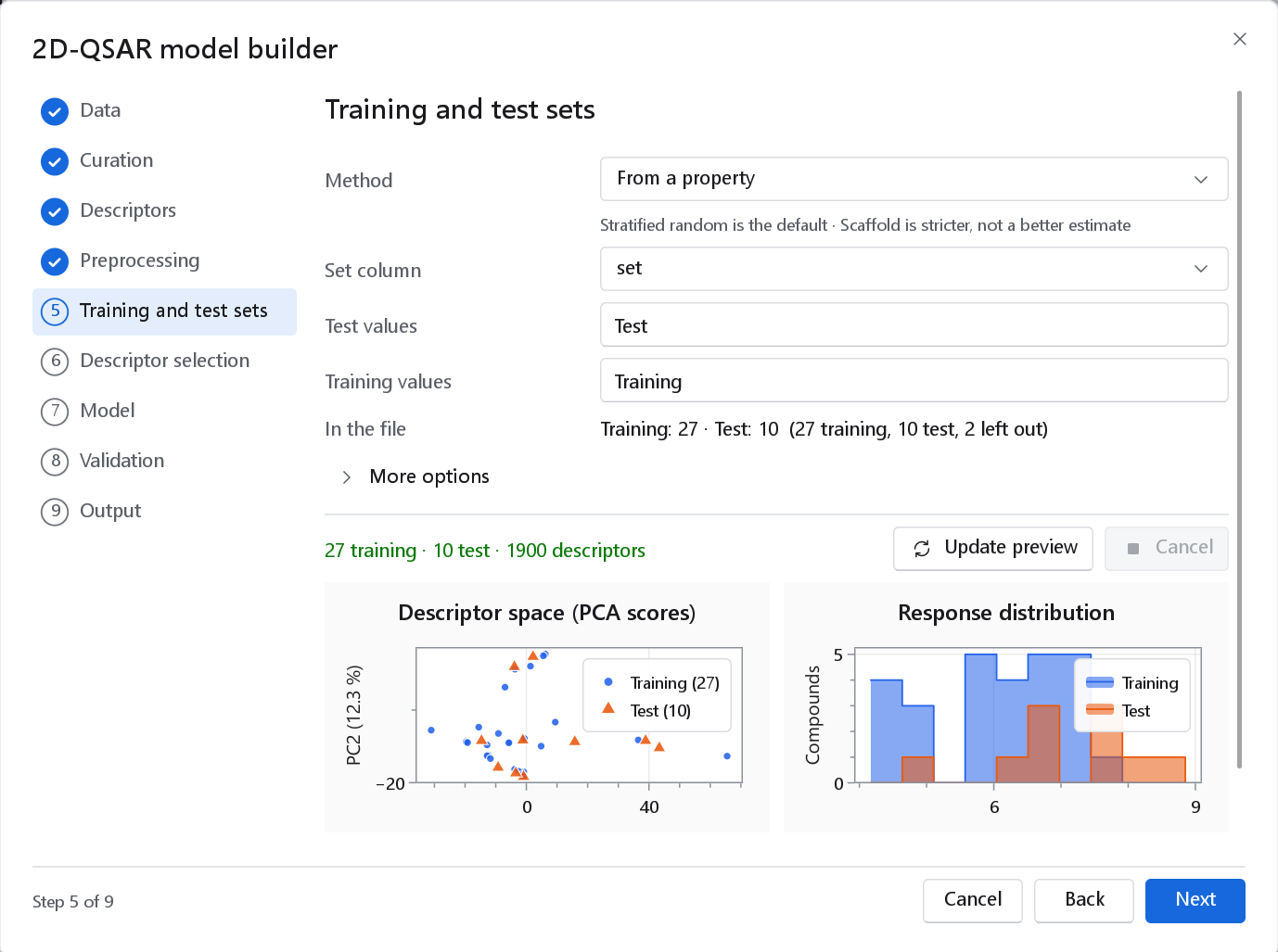
If the file already holds the division, as published datasets often do, import its set column (see Importing a dataset). A column of other codes can be used by the wizards directly: on their training and test page, the method From a property names the column and the values that mean test and training.
Assigning by hand
To place individual compounds, select them and use the set commands (see The molecule spreadsheet). A common case is to mark a later batch of compounds as External before any split, so that it is kept for a final, independent check.
Checking readiness
2D-QSAR > Check dataset readiness (Readiness on the Data tab) reports in one line what the dataset still lacks for modelling: structures, an activity column, activity values, descriptors, a training/test split. When nothing is missing it says "Ready for modelling" with the number of compounds, descriptors, training and test compounds.
Exporting the dataset
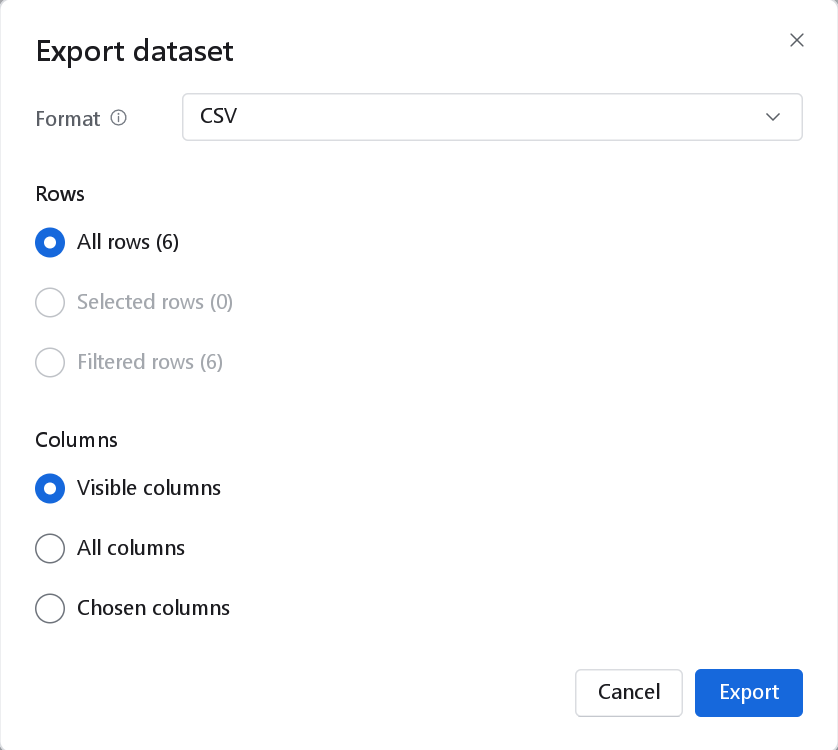
File > Export (Ctrl+E) writes the active dataset to a file. The export reads a snapshot, so you can go on working while a large file is written.
| Control | Choices | Notes |
|---|---|---|
| Format | CSV, a CSV variant for spreadsheet programs, Tab-separated text, SD file, SMILES | The spreadsheet variant is the same CSV starting with a UTF-8 byte order mark, which spreadsheet programs need to read accented characters and µ correctly. An SD file carries the structures with their coordinates and every chosen column as a data field. A SMILES file holds the structure and the name. |
| Rows | All rows, Selected rows, Filtered rows | Filtered rows writes what the table shows, in its sort order. |
| Columns | Visible columns, All columns, Chosen columns | Chosen columns opens a list to tick, starting from the visible ones. Not offered for SMILES. |
| Generate missing 2D coordinates | On by default (SD file) | Lays out structures that have no coordinates, so that other programs can draw them. |
| Canonical SMILES | On by default (SMILES) | Writes canonical rather than stored SMILES. |
An SD export always writes the alignment and preparation records of 3D-QSAR poses, whatever columns are chosen, because a pose without its record cannot be predicted with its model later. 2D-QSAR > Export the model matrix opens the same dialog with the columns a model is built from already chosen: ID, Name, Set, the activities and the descriptors. To keep the whole session (datasets with every column, workflows and their results) use File > Save project instead (see Projects and files).