The System Builder page
Building a system step by step with every option visible, for when the defaults of Run MD are not what you want.
When to use it instead of Run MD
Run MD takes a complex through the whole protocol with settings that suit most protein-ligand complexes, and shows only the choices that usually matter. The System Builder shows every choice of system construction and protocol, builds the system without simulating it, and lets you inspect it before anything runs. Use it when you need:
- another force field or water model than AMBER ff14SB and TIP3P;
- ligand parameters made elsewhere (an .itp topology);
- a rectangular box, other ion names, or a pure POPC bilayer with an orientation reference and structural ions;
- a thermostat or barostat other than V-rescale and C-rescale, a different minimisation, or per-replica velocity seeds;
- run-parameter files to use or edit by hand, or a project file to run later.
A finished build is simulated on the Simulate page; a saved project runs on Run MD, in the Batch queue or on the Simulate page.
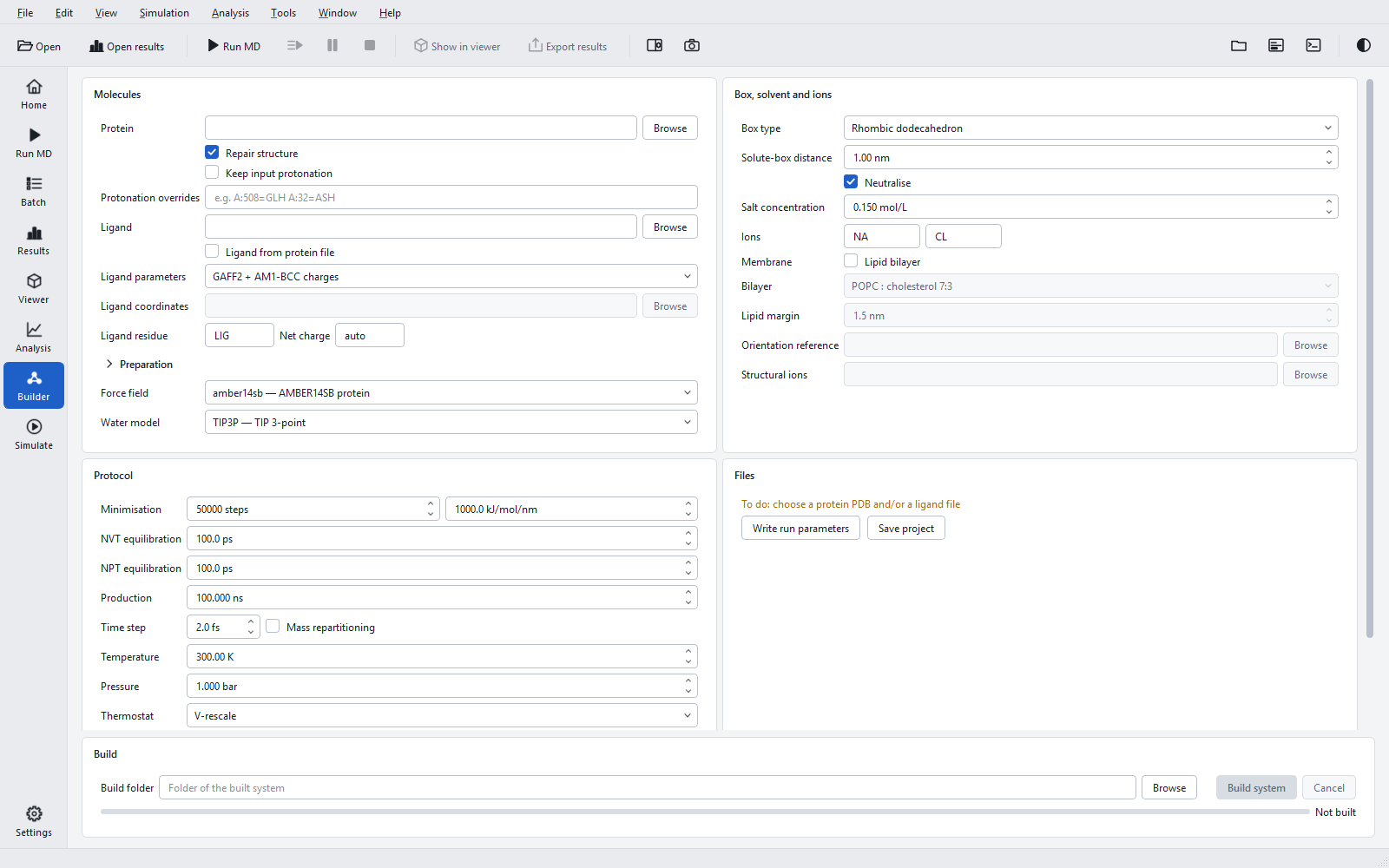
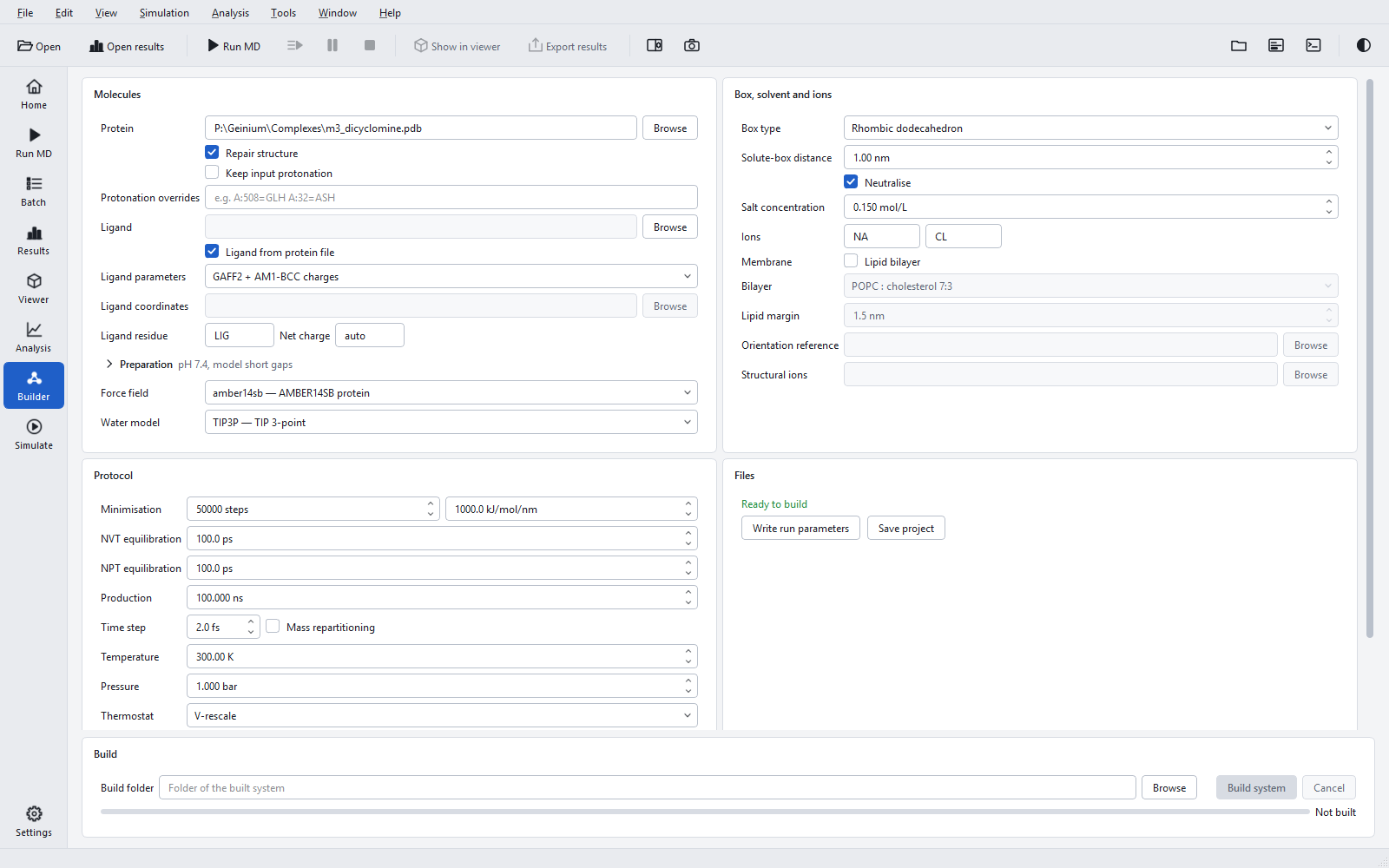
Molecules
| Control | Default | Meaning and when to change it |
|---|---|---|
| "Protein" | empty | The receptor or complex (.pdb, .ent, .cif, .mmcif, .pdbqt). |
| "Repair structure" | on | Missing atoms, alternate conformers, naming; atoms of the input are never moved. Switch it off only for a structure that is already complete and named for the force field. Taking the ligand from the protein file needs it. |
| "Keep input protonation" | off | Takes protonation states from the hydrogens of the input instead of the pH rules. Available with repair on. (Its tooltip mentions pH 7; the default pH is 7.4.) |
| "Protonation overrides" | empty | Explicit states as chain:residue=state, for example A:508=GLH A:32=ASH. See Protonation at pH. |
| "Ligand" | empty | A separate ligand file (.sdf, .mol, .mol2, .pdb, .pdbqt) or an .itp topology. |
| "Ligand from protein file" | off | Takes the ligand from the protein file, for a complex exported as one PDB. Use either this or "Ligand", not both. |
| "Ligand parameters" | "GAFF2 + AM1-BCC charges" | Or "Existing topology (.itp)" for parameters made elsewhere; then "Ligand coordinates" (.gro or .pdb, in the frame of the receptor) is required. |
| "Ligand residue" and "Net charge" | LIG, auto | See Ligand parameters. |
| "Preparation" | pH 7.4, model short gaps | The same section as on Run MD: pH, ligand protonation, missing residues, sequence, molecules to remove. See Structure preparation. |
| "Force field" | amber14sb | The force fields of the data library, each with a short description. GAFF2 ligands combine with AMBER force fields only; membranes need amber14sb. |
| "Water model" | TIP3P | The water models of the chosen force field. |
Box, solvent and ions
"Box type", "Solute-box distance", "Neutralise", "Salt concentration", "Ions", "Membrane" ("Lipid bilayer"), "Bilayer", "Lipid margin", "Orientation reference" and "Structural ions" are described in Box, solvent, ions and membranes. With "Lipid bilayer" ticked, the box controls, minimisation, equilibration, thermostat and barostat are greyed with the tooltip "Fixed by the membrane equilibration protocol".
Protocol
| Control | Default (range) | Meaning and when to change it |
|---|---|---|
| "Minimisation" | 50000 steps, 1000 kJ/mol/nm (100 to 1,000,000 steps; 1 to 10000) | Steepest descent stops at the step limit or when the largest force falls below the tolerance. A tighter tolerance is rarely needed before restrained equilibration. |
| "NVT equilibration" | 100 ps | Restrained equilibration at constant volume. Lengthen it for a large or strongly strained system. |
| "NPT equilibration" | 100 ps | Restrained equilibration at constant pressure, during which the density settles. Lengthen it if the density still drifts at its end. |
| "Production" | 100 ns (0.001 to 100000) | Unrestrained simulation of every replica. |
| "Time step" with "Mass repartitioning" | 2.0 fs, off (0.5 to 4.0 fs) | Above 2 fs the hydrogen masses must be repartitioned; raising the step ticks the box. See The simulation protocol. |
| "Temperature" | 300 K | Note: Run MD and the pipeline default to 310 K. Ticking "Lipid bilayer" changes 300 K to 310 K. |
| "Pressure" | 1 bar | Reference pressure of the barostat. |
| "Thermostat" | V-rescale | Or Nose-Hoover, Berendsen. V-rescale gives the correct canonical ensemble and relaxes quickly; Berendsen does not sample the canonical ensemble and suits only equilibration. |
| "Barostat" | C-rescale | Or Parrinello-Rahman, Berendsen. C-rescale samples the correct ensemble and is stable from the start; Parrinello-Rahman can oscillate in a system far from equilibrium. |
| "Replicas" | 3 (1 to 64) | Independent production runs. Run MD defaults to 1. |
| "Velocity seeds" | 1001, 2001, 3001 | One seed per replica, comma separated; seeds must differ. "New seeds" draws a new set, for a second, independent set of replicas. |
Files
The Files group shows "Ready to build" in green, or "To do: ..." with what is still missing, for example "a ligand alone cannot be built yet: give the receptor PDB", "choose either a ligand file or the ligand of the protein PDB, not both", "ligand residue name: 1-4 characters" or "time steps above 2 fs need hydrogen mass repartitioning".
| Button | What it does | When to use it |
|---|---|---|
| "Write run parameters" | Writes the parameter files (.mdp) of this protocol into a folder you choose. Not available for membrane systems. | To inspect or edit the run parameters, or to run them on the Simulate page with a run input made by hand. |
| "Save project" | Writes a project file (project.json) for Run MD, the batch queue or the Simulate page. | To run the same system later, on another PC, or many times in the queue. |
Building
"Build folder" (default 01_build in the project folder of the Project panel) receives the system. "Build system" checks the form and, for a membrane protein without a membrane, asks the "Membrane protein" question first. If the folder already holds simulation output, Geinium asks before moving it aside. The "Before the start" dialog of Run MD is not asked here; set the missing-residue choice in the Preparation section instead.
The build runs through these steps, each shown as "Step i of n: <stage>" beside the progress bar: "Structure repair", "Protein topology", "Ligand parameters (GAFF2 + AM1-BCC)", "Complex assembly", "Periodic box", "Solvent", "Ions" (or "Membrane embedding, water and ions"), "Protocol and index groups" and "Run-input check". "Cancel" stops it after the current step.

When the build ends, the status reads "Built in X s" in green and a result line gives the counts, for example "N atoms, M lipids, W water molecules, a NA + b CL, ligand LIG; K warning(s), see the log", followed by the path of the system file. The system opens in the viewer and its protocol is loaded on the Simulate page, ready to start. A failed build reads "Build failed" in red with the reason below.
