Projects and session files
Saving a whole session, what comes back when it is reopened, and how results are organised on disk.
What a project file holds
File > Save Project (Ctrl+S) writes the whole session, not merely the geometry.
| Saved | Detail |
|---|---|
| Structures | With their bonds and bond orders, formal charges, isotopes and stereochemistry. |
| Calculations | Settings, final energy, geometry, orbital levels and compositions, every charge analysis, dipole, frequencies and the optimisation path. |
| Surfaces | Which surfaces existed, with their isovalue, colour scale, opacity and visibility. |
| The view | Camera position, display style and any measurements on screen. |
How a surface comes back
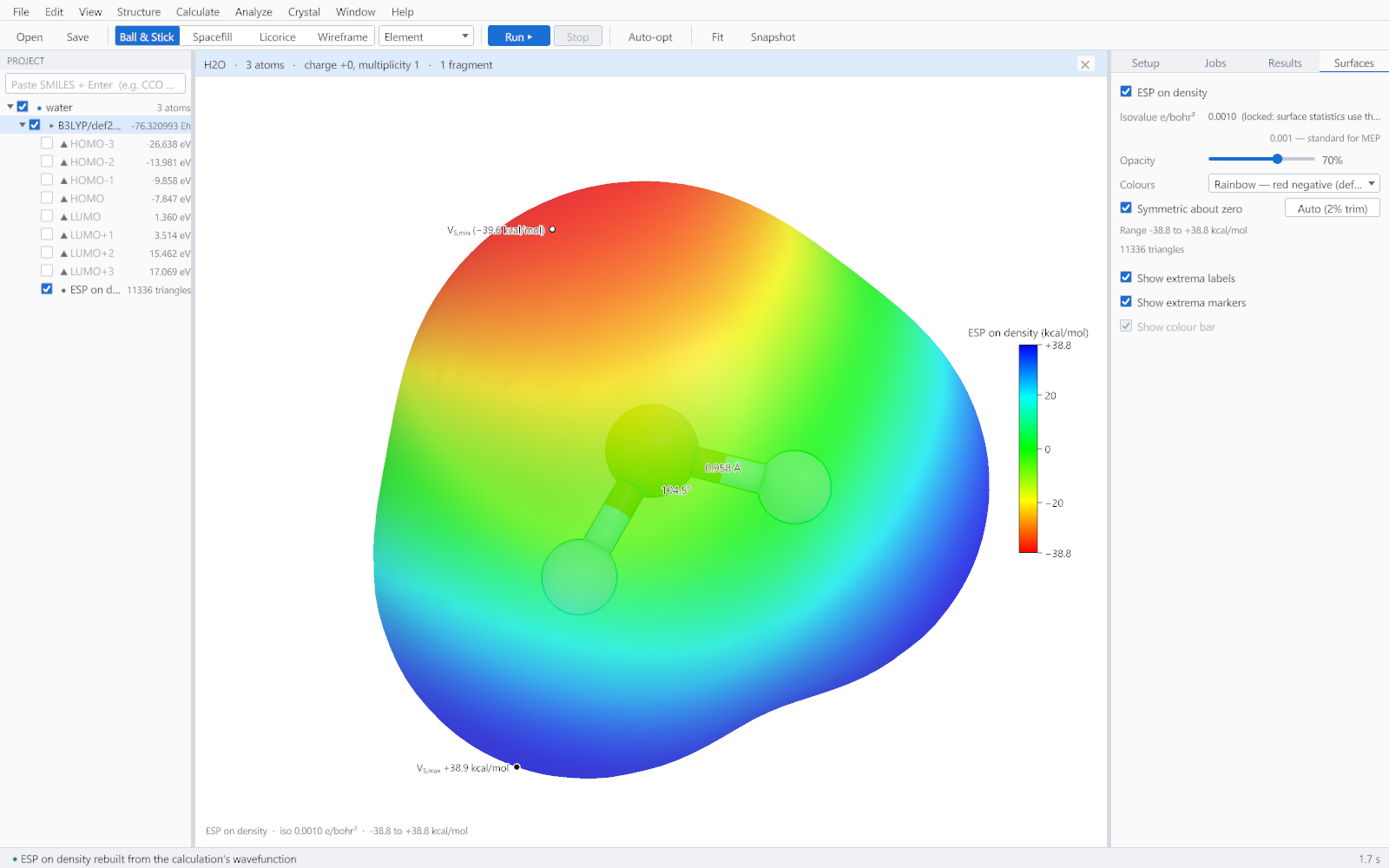
A mapped surface is not stored as a mesh. The project records how it was made, and on reopening the surface is rebuilt from the saved wavefunction: the density is recomputed, the isosurface extracted and the potential evaluated again at every vertex. The result is exact rather than a resampled copy, and the project file stays small. The rebuild happens on a worker thread with a progress indicator.
Where results are written
A calculation writes into a folder beside the structure it came from, named for the structure, the method and the basis set, so two calculations on the same molecule never overwrite one another. The folder contains the files listed in Exporting and interoperability, including a short note naming which file to open where.