Installing and starting
How GeinDFT is installed, what the installation contains, which executable runs on your processor, and what the program does the first time it starts.
Installing
GeinDFT is part of GeinDock Suite. It is installed in one of three ways, and all three leave the same installation behind.
| Way | When to use it |
|---|---|
| The GeinDock Suite and GeinDFT installer | On a computer that has neither. It installs GeinDock Suite and then GeinDFT in one run, with one request for administrator rights. |
| Tools > Get GeinDFT in GeinDock Suite | On a computer that already has GeinDock Suite. GeinDock Suite downloads the installer, checks it and runs it. |
| The GeinDFT installer | To install or repair GeinDFT alone. GeinDock Suite must already be installed, because GeinDFT uses its licence. |
GeinDFT is installed into its own folder, C:\Program Files\GeinDFT unless an earlier copy is somewhere else, with its own entry under Apps in the Windows settings and its own shortcuts in the Start menu and on the desktop. Removing GeinDFT from there leaves GeinDock Suite, the licence and your own files untouched.
The licence
GeinDFT has no licence key of its own. A computer on which GeinDock Suite is activated opens GeinDFT licensed, and an activation made in GeinDFT licenses GeinDock Suite as well. Without a valid licence the program opens on an activation page; Help > Licence shows the licence at any time. If GeinDock Suite is not installed, GeinDFT says so and closes.
Updates
GeinDFT checks for its own updates shortly after it starts and speaks only when there is one. Help > Check for Updates asks on demand. An update is downloaded, verified and installed, and the program opens again. GeinDock Suite is updated separately, from GeinDock Suite.
What is installed
| File | Purpose |
|---|---|
GeinDFT-Desktop.exe | The desktop application. This is the one the shortcuts start. |
geindft.exe | The command-line program, for scripts, batches and remote machines. |
| Processor variants | Each program ships in two builds: one that uses the AVX2 vector instructions found on processors from about 2014 onwards, and one that runs anywhere. The launcher picks the faster one your processor supports, so there is nothing to choose. |
demo_files | Example molecules, finished calculations and crystal structures, opened with File > Open Example. |
Uninstall.exe | Removes GeinDFT. Windows runs it when GeinDFT is removed from the settings. |
Requirements
| Item | Needed |
|---|---|
| GeinDock Suite | Installed on the same computer, with an activated licence. |
| Operating system | Windows 10 or Windows 11, 64-bit. |
| Graphics | Any driver with OpenGL 3.3. The viewer uses the graphics card for drawing only; the calculation itself runs on the processor. |
| Memory | Four gigabytes is enough for molecules up to about forty atoms with a double-zeta basis. Eight to sixteen gigabytes is comfortable for routine drug-sized work. The program estimates the memory a job needs before it starts and refuses a job that would exhaust the machine. |
| Processor cores | Any number. The calculation scales across every physical core, and the result does not depend on how many were used. |
Starting for the first time
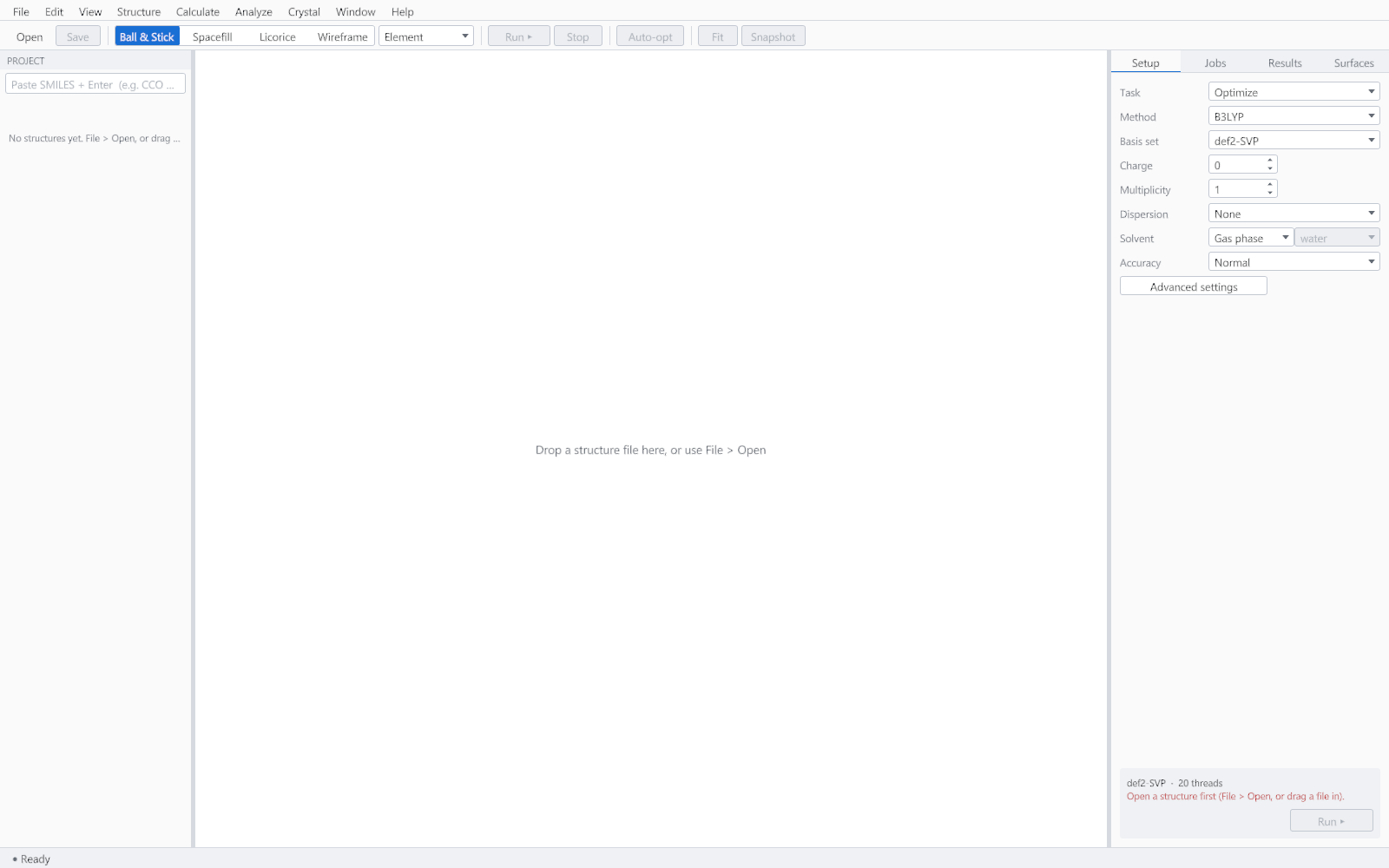
The program opens with an empty viewer and the task panel on the right. Nothing is computed until a structure is loaded, so the Run button stays disabled and says why.
High resolution displays
The window follows the display scaling set in Windows, so it is as usable on a high resolution monitor as on a laptop panel. Panels, type, controls and the viewer all scale together.