Home › Menus and shortcuts
Menus and shortcuts
Every command in the application, where it lives and what it does.
File
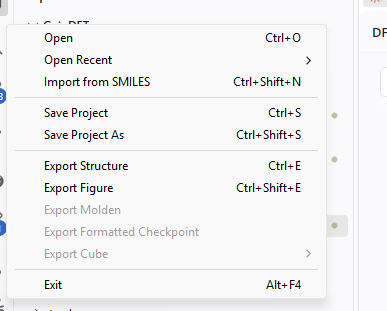
| Command | Shortcut | Does |
|---|---|---|
| Open | Ctrl+O | Open a structure or a GeinDFT project. |
| Open Recent | Reopen a recently used file. | |
| Import from SMILES | Ctrl+Shift+N | Build a structure from a SMILES string. |
| Save Project | Ctrl+S | Save structures, setup and results. |
| Save Project As | Ctrl+Shift+S | Save under a new name. |
| Export Structure | Ctrl+E | Write the structure in another format. |
| Export Figure | Ctrl+Shift+E | Render a figure to a PNG. |
| Export Molden | Write the Molden interchange file. | |
| Export Cube | Write any field the result can produce. | |
| Export Formatted Checkpoint | Write the checkpoint file. | |
| Exit | Alt+F4 | Close the application. |
Edit
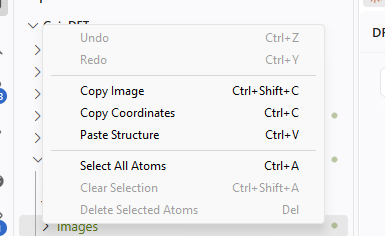
| Command | Shortcut | Does |
|---|---|---|
| Undo | Ctrl+Z | Undo the last structure edit. |
| Redo | Ctrl+Y | Redo it. |
| Copy Image | Ctrl+Shift+C | Copy the view to the clipboard. |
| Copy Coordinates | Ctrl+C | Copy the geometry as text. |
| Paste Structure | Ctrl+V | Paste a structure from the clipboard. |
| Select All Atoms | Ctrl+A | Select every atom. |
| Clear Selection | Ctrl+Shift+A | Deselect everything. |
| Delete Selected Atoms | Del | Remove the selected atoms. |
Structure
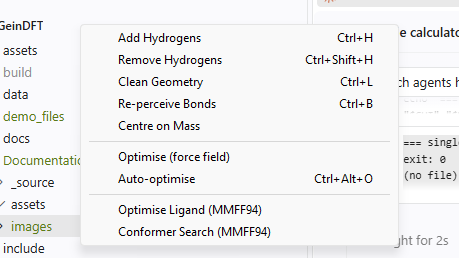
| Command | Shortcut | Does |
|---|---|---|
| Add Hydrogens | Ctrl+H | Complete the valences. |
| Remove Hydrogens | Ctrl+Shift+H | Delete every hydrogen. |
| Clean Geometry | Ctrl+L | Relax the structure with the force field. |
| Re-perceive Bonds | Ctrl+B | Recompute bonds from the distances. |
| Centre on Mass | Move the centre of mass to the origin. | |
| Optimise (force field) | One force-field minimisation. | |
| Auto-optimise | Ctrl+Alt+O | Keep the force field running while you work. |
| Optimise Ligand (MMFF94) | Minimise with the MMFF94 ligand force field. | |
| Conformer Search (MMFF94) | Search over conformations. |
Calculate
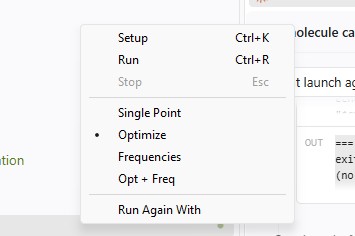
| Command | Shortcut | Does |
|---|---|---|
| Setup | Ctrl+K | Open the calculation setup dialog. |
| Run | Ctrl+R | Start the calculation. |
| Stop | Esc | Cancel what is running. |
| Single Point, Optimize, Frequencies, Opt + Freq | Choose the task directly. | |
| Run Again With | Open Setup with a finished job's settings. |
Analyze
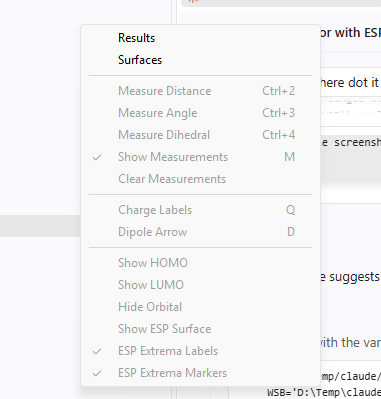
| Command | Shortcut | Does |
|---|---|---|
| Results, Surfaces | Show those tabs. | |
| Measure Distance | Ctrl+2 | Between two selected atoms. |
| Measure Angle | Ctrl+3 | Between three. |
| Measure Dihedral | Ctrl+4 | Between four. |
| Show Measurements | M | Show or hide the labels. |
| Clear Measurements | Remove them all. | |
| Charge Labels | Q | Label atoms with their charges. |
| Dipole Arrow | D | Draw the dipole vector. |
| Show HOMO, Show LUMO, Hide Orbital | Draw or remove a frontier orbital. | |
| Show ESP Surface | Draw the mapped potential surface. | |
| ESP Extrema Labels, ESP Extrema Markers | Annotate the surface extrema. |
View
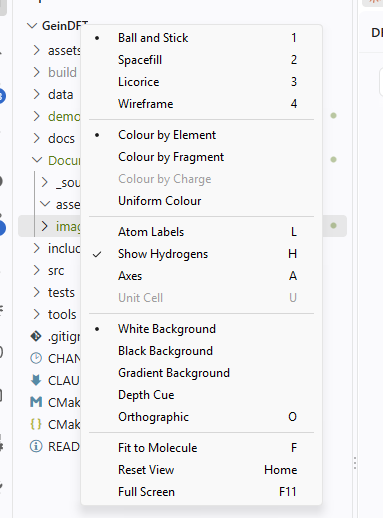
| Command | Shortcut | Does |
|---|---|---|
| Ball and Stick, Spacefill, Licorice, Wireframe | 1 to 4 | The display style. |
| Colour by Element, Fragment, Charge, Uniform | The colouring scheme. | |
| Atom Labels | L | Element and number on each atom. |
| Show Hydrogens | H | Show or hide hydrogens in the picture. |
| Axes | A | The coordinate axes. |
| Unit Cell | U | The crystal unit cell. |
| White, Black, Gradient Background | The background. | |
| Depth Cue | Fade distant atoms. | |
| Orthographic | O | Projection without perspective. |
| Fit to Molecule | F | Frame everything shown. |
| Reset View | Home | Front view, fitted. |
| Full Screen | F11 | Hide the window frame. |
Crystal, Window and Help
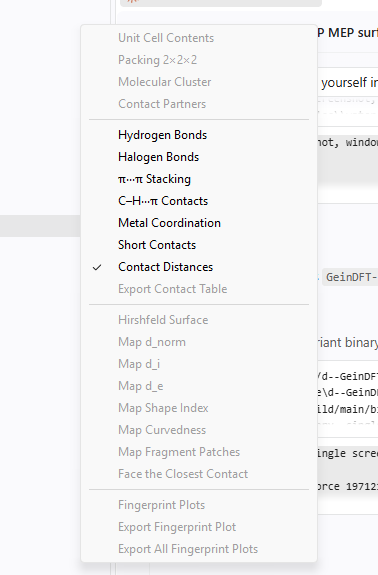
| Command | Shortcut | Does |
|---|---|---|
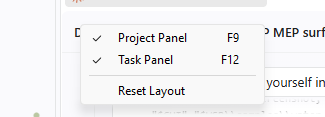
| Project Panel | F9 | Show or hide the project tree. |
| Task Panel | F12 | Show or hide the task panel. |
| Reset Layout | Restore the default panel sizes. | |
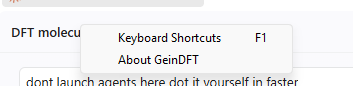
| Keyboard Shortcuts | F1 | List every shortcut. |
| Licence | Show the licence on this computer, or activate one. | |
| Check for Updates | Ask whether a newer GeinDFT has been published. | |
| About | Version and copyright. |